lib_vsop87_venusLibrary "lib_vsop87_venus"
Heliocentric and geocentric position calculations for Venus
using VSOP87 theory. Provides longitude, latitude, radius, speed,
and declination functions.
@author BlueprintResearch (Javonnii)
@license MIT License - Free to use with attribution
@theory VSOP87A (Heliocentric rectangular coordinates)
@accuracy Truncated series (~10-15 terms per series) - arcsecond precision
@time_scale Julian millennia from J2000.0 (use core.get_julian_millennia)
@reference Meeus, Jean. "Astronomical Algorithms" (2nd Ed., 1998)
Bretagnon & Francou. "VSOP87 Solutions" (1988)
@showcase Includes commented showcase code with 250-bar future projection.
Uncomment to display Venus data with polyline projections.
@open_source This library is part of an open-source alternative to
proprietary astronomical libraries. Study, modify, and
share freely. We believe knowledge of the cosmos belongs
to everyone.
════════════════════════════════════════════════════════════════
© 2025 BlueprintResearch / Javonnii
Licensed under MIT License
════════════════════════════════════════════════════════════════
@version=6
import BlueprintResearch/lib_vsop_core/1 as core
get_helio_lon(t)
Computes Venus's heliocentric ecliptic longitude using VSOP87 theory.
Parameters:
t (float) : (float) Julian millennia from J2000.0 (use core.get_julian_millennia(time)).
Returns: (float) Heliocentric ecliptic longitude in degrees, normalized to range [0, 360).
get_helio_lat(t)
Computes Venus's heliocentric ecliptic latitude using VSOP87 theory.
Parameters:
t (float) : (float) Julian millennia from J2000.0 (use core.get_julian_millennia(time)).
Returns: (float) Heliocentric ecliptic latitude in radians, range approximately . Note: Returns radians, not degrees.
get_helio_radius(t)
Computes Venus's heliocentric radius (distance from Sun) using VSOP87 theory.
Parameters:
t (float) : (float) Julian millennia from J2000.0 (use core.get_julian_millennia(time)).
Returns: (float) Heliocentric radius in astronomical units (AU). Typical range is 0.72-0.73 AU.
get_geo_speed(t)
Computes Venus's geocentric longitude speed (rate of change over time).
Parameters:
t (float) : (float) Julian millennia from J2000.0 (use core.get_julian_millennia(time)).
Returns: (float) Geocentric longitude speed in degrees per day. Negative values indicate retrograde motion (apparent backward movement).
get_geo_lon(t)
Computes Venus's geocentric ecliptic longitude (as seen from Earth).
Parameters:
t (float) : (float) Julian millennia from J2000.0 (use core.get_julian_millennia(time)).
Returns: (float) Geocentric ecliptic longitude in degrees, normalized to range [0, 360).
get_geo_ecl_lat(t)
Computes Venus's geocentric ecliptic latitude (as seen from Earth).
Parameters:
t (float) : (float) Julian millennia from J2000.0 (use core.get_julian_millennia(time)).
Returns: (float) Geocentric ecliptic latitude in degrees, range approximately .
get_geo_decl(t)
Computes Venus's geocentric equatorial declination (as seen from Earth).
Parameters:
t (float) : (float) Julian millennia from J2000.0 (use core.get_julian_millennia(time)).
Returns: (float) Geocentric equatorial declination in degrees, range where positive is north.
Timesessions

lib_ephemeris █ PLANETARY EPHEMERIS MASTER LIBRARY
Unified API for calculating planetary positions. Import this single library to access all 11 celestial bodies: Sun, Moon, Mercury, Venus, Earth, Mars, Jupiter, Saturn, Uranus, Neptune, and Pluto.
Theory: VSOP87 (planets), ELP2000-82 (Moon), Meeus (Pluto)
═══════════════════════════════════════════════════════════════
█ QUICK START
//@version=6
indicator("Planetary Ephemeris Demo")
import BlueprintResearch/lib_ephemeris/1 as eph
// Get all planets
sun = eph.string_to_planet("Sun")
moon = eph.string_to_planet("Moon")
mercury = eph.string_to_planet("Mercury")
venus = eph.string_to_planet("Venus")
mars = eph.string_to_planet("Mars")
jupiter = eph.string_to_planet("Jupiter")
saturn = eph.string_to_planet("Saturn")
uranus = eph.string_to_planet("Uranus")
neptune = eph.string_to_planet("Neptune")
pluto = eph.string_to_planet("Pluto")
// Get longitude for each planet (geocentric)
sun_lon = eph.get_longitude(sun, time, true)
moon_lon = eph.get_longitude(moon, time, true)
mercury_lon = eph.get_longitude(mercury, time, true)
venus_lon = eph.get_longitude(venus, time, true)
mars_lon = eph.get_longitude(mars, time, true)
jupiter_lon = eph.get_longitude(jupiter, time, true)
saturn_lon = eph.get_longitude(saturn, time, true)
uranus_lon = eph.get_longitude(uranus, time, true)
neptune_lon = eph.get_longitude(neptune, time, true)
pluto_lon = eph.get_longitude(pluto, time, true)
// Plot all planets
plot(sun_lon, "Sun", color.yellow)
plot(moon_lon, "Moon", color.silver)
plot(mercury_lon, "Mercury", color.orange)
plot(venus_lon, "Venus", color.green)
plot(mars_lon, "Mars", color.red)
plot(jupiter_lon, "Jupiter", color.purple)
plot(saturn_lon, "Saturn", color.olive)
plot(uranus_lon, "Uranus", color.aqua)
plot(neptune_lon, "Neptune", color.blue)
plot(pluto_lon, "Pluto", color.gray)
═══════════════════════════════════════════════════════════════
█ AVAILABLE FUNCTIONS
Core Data Access:
• string_to_planet(string) → Planet enum
• get_longitude(Planet, time, preferGeo) → degrees [0, 360)
• get_declination(Planet, time) → degrees
• get_speed(Planet, time) → degrees/day
• is_retrograde(Planet, time) → true/false
Planetary Averages:
• get_avg6_geo_lon(time) → 6 outer planets average
• get_avg6_helio_lon(time)
• get_avg8_geo_lon(time) → 8 classical planets average
• get_avg8_helio_lon(time)
Utility:
• normalizeLongitude(lon) → normalize to [0, 360)
═══════════════════════════════════════════════════════════════
█ SUPPORTED PLANET STRINGS
Works with symbols or plain names (case-insensitive):
• "☉︎ Sun" or "Sun"
• "☽︎ Moon" or "Moon"
• "☿ Mercury" or "Mercury"
• "♀ Venus" or "Venus"
• "🜨 Earth" or "Earth"
• "♂ Mars" or "Mars"
• "♃ Jupiter" or "Jupiter"
• "♄ Saturn" or "Saturn"
• "⛢ Uranus" or "Uranus"
• "♆ Neptune" or "Neptune"
• "♇ Pluto" or "Pluto"
═══════════════════════════════════════════════════════════════
█ COORDINATE SYSTEMS
Geocentric: Positions relative to Earth (default for Sun/Moon)
Heliocentric: Positions relative to the Sun
Use the preferGeo parameter in get_longitude():
• true = geocentric
• false = heliocentric
Sun and Moon always return geocentric (heliocentric not applicable).
═══════════════════════════════════════════════════════════════
█ FUTURE PROJECTIONS
Project planetary positions into the future using polylines:
import BlueprintResearch/lib_vsop_core/1 as core
// Get future timestamp (250 bars ahead)
future_time = core.get_future_time(time, 250)
// Calculate future position
future_lon = eph.get_longitude(mars, future_time, true)
Use with polyline.new() to draw projected paths on your chart. See the commented showcase code in this library's source for a complete 250-bar projection example.
═══════════════════════════════════════════════════════════════
█ OPEN SOURCE
This library is part of an open-source planetary ephemeris project.
Free to use with attribution. MIT License.
═══════════════════════════════════════════════════════════════
█ REFERENCES
• Meeus, Jean. "Astronomical Algorithms" (2nd Ed., 1998)
• Bretagnon & Francou. "VSOP87 Solutions" (1988)
• Chapront-Touzé & Chapront. "ELP2000-82" (1983)
═══════════════════════════════════════════════════════════════
© 2025 BlueprintResearch (Javonnii) • MIT License
@version=6
normalizeLongitude(lon)
Normalizes any longitude value to the range [0, 360) degrees.
Parameters:
lon (float) : (float) Longitude in degrees (can be any value, including negative or >360).
Returns: (float) Normalized longitude in range [0, 360).
string_to_planet(planetStr)
Converts a planet string identifier to Planet enum value.
Parameters:
planetStr (string) : (string) Planet name (case-insensitive). Supports formats: "Sun", "☉︎ Sun", "sun", "SUN"
Returns: (Planet) Corresponding Planet enum. Returns Planet.Sun if string not recognized.
@note Supported planet strings: Sun, Moon, Mercury, Venus, Earth, Mars, Jupiter, Saturn, Uranus, Neptune, Pluto
get_longitude(p, t, preferGeo)
Returns planetary longitude with automatic coordinate system selection.
Parameters:
p (series Planet) : (Planet) Planet to query.
t (float) : (float) Unix timestamp in milliseconds (use built-in 'time' variable).
preferGeo (bool) : (bool) If true, return geocentric; if false, return heliocentric.
Returns: (float) Longitude in degrees, normalized to range [0, 360).
@note Sun and Moon always return geocentric regardless of preference (heliocentric not applicable).
get_declination(p, t)
Returns planetary geocentric equatorial declination.
Parameters:
p (series Planet) : (Planet) Planet to query.
t (float) : (float) Unix timestamp in milliseconds (use built-in 'time' variable).
Returns: (float) Geocentric declination in degrees, range where positive is north.
@note Declination is always geocentric (no heliocentric equivalent in library).
get_speed(p, t)
Returns planetary geocentric longitude speed (rate of change).
Parameters:
p (series Planet) : (Planet) Planet to query.
t (float) : (float) Unix timestamp in milliseconds (use built-in 'time' variable).
Returns: (float) Geocentric longitude speed in degrees per day. Negative values indicate retrograde motion. Returns na for Moon.
@note Speed is always geocentric (no heliocentric equivalent in library). Moon speed calculation not implemented.
get_avg6_geo_lon(t)
get_avg6_geo_lon
@description Returns the arithmetic average of the geocentric longitudes for the six outer planets: Mars, Jupiter, Saturn, Uranus, Neptune, and Pluto.
Parameters:
t (float) : (float) Time in Unix timestamp (milliseconds).
Returns: (float) Average geocentric longitude of the six outer planets in degrees, range [0, 360).
get_avg6_helio_lon(t)
get_avg6_helio_lon
@description Returns the arithmetic average of the heliocentric longitudes for the six outer planets: Mars, Jupiter, Saturn, Uranus, Neptune, and Pluto.
Parameters:
t (float) : (float) Time in Unix timestamp (milliseconds).
Returns: (float) Average heliocentric longitude of the six outer planets in degrees, range [0, 360).
get_avg8_geo_lon(t)
get_avg8_geo_lon
@description Returns the arithmetic average of the geocentric longitudes for all eight classical planets: Mercury, Venus, Mars, Jupiter, Saturn, Uranus, Neptune, and Pluto.
Parameters:
t (float) : (float) Time in Unix timestamp (milliseconds).
Returns: (float) Average geocentric longitude of all eight classical planets in degrees, range [0, 360).
get_avg8_helio_lon(t)
get_avg8_helio_lon
@description Returns the arithmetic average of the heliocentric longitudes for all eight classical planets: Mercury, Venus, Mars, Jupiter, Saturn, Uranus, Neptune, and Pluto.
Parameters:
t (float) : (float) Time in Unix timestamp (milliseconds).
Returns: (float) Average heliocentric longitude of all eight classical planets in degrees, range [0, 360).
is_retrograde(p, t)
Returns true if the planet is currently in retrograde motion (geocentric speed < 0) == 0 = stationary.
Parameters:
p (series Planet) : The planet to check.
t (float) : Time in Unix timestamp (milliseconds).
Returns: true if the planet is in retrograde, false otherwise.

lib_vsop87_mercuryLibrary "lib_vsop87_mercury"
Heliocentric and geocentric position calculations for Mercury
using VSOP87 theory. Provides longitude, latitude, radius, speed,
and declination functions.
@author BlueprintResearch (Javonnii)
@license MIT License - Free to use with attribution
@theory VSOP87A (Heliocentric rectangular coordinates)
@accuracy Truncated series (~10-15 terms per series) - arcsecond precision
@time_scale Julian millennia from J2000.0 (use core.get_julian_millennia)
@reference Meeus, Jean. "Astronomical Algorithms" (2nd Ed., 1998)
Bretagnon & Francou. "VSOP87 Solutions" (1988)
@showcase Includes commented showcase code with 250-bar future projection.
Uncomment to display Mercury data with polyline projections.
@open_source This library is part of an open-source alternative to
proprietary astronomical libraries. Study, modify, and
share freely. We believe knowledge of the cosmos belongs
to everyone.
════════════════════════════════════════════════════════════════
© 2025 BlueprintResearch / Javonnii
Licensed under MIT License
════════════════════════════════════════════════════════════════
@version=6
import BlueprintResearch/lib_vsop_core/1 as core
get_helio_lon(t)
Computes Mercury's heliocentric ecliptic longitude using VSOP87 theory.
Parameters:
t (float) : (float) Julian millennia from J2000.0 (use core.get_julian_millennia(time)).
Returns: (float) Heliocentric ecliptic longitude in degrees, normalized to range [0, 360).
get_helio_lat(t)
Computes Mercury's heliocentric ecliptic latitude using VSOP87 theory.
Parameters:
t (float) : (float) Julian millennia from J2000.0 (use core.get_julian_millennia(time)).
Returns: (float) Heliocentric ecliptic latitude in radians, range approximately . Note: Returns radians, not degrees.
get_helio_radius(t)
Computes Mercury's heliocentric radius (distance from Sun) using VSOP87 theory.
Parameters:
t (float) : (float) Julian millennia from J2000.0 (use core.get_julian_millennia(time)).
Returns: (float) Heliocentric radius in astronomical units (AU). Typical range is 0.31-0.47 AU.
get_geo_speed(t)
Computes Mercury's geocentric longitude speed (rate of change over time).
Parameters:
t (float) : (float) Julian millennia from J2000.0 (use core.get_julian_millennia(time)).
Returns: (float) Geocentric longitude speed in degrees per day. Negative values indicate retrograde motion (apparent backward movement).
get_geo_lon(t)
Computes Mercury's geocentric ecliptic longitude (as seen from Earth).
Parameters:
t (float) : (float) Julian millennia from J2000.0 (use core.get_julian_millennia(time)).
Returns: (float) Geocentric ecliptic longitude in degrees, normalized to range [0, 360).
get_geo_ecl_lat(t)
Computes Mercury's geocentric ecliptic latitude (as seen from Earth).
Parameters:
t (float) : (float) Julian millennia from J2000.0 (use core.get_julian_millennia(time)).
Returns: (float) Geocentric ecliptic latitude in degrees, range approximately .
get_geo_decl(t)
Computes Mercury's geocentric equatorial declination (as seen from Earth).
Parameters:
t (float) : (float) Julian millennia from J2000.0 (use core.get_julian_millennia(time)).
Returns: (float) Geocentric equatorial declination in degrees, range where positive is north.

lib_elp2000_moonLibrary "lib_elp2000_moon"
get_geo_ecl_lon(T)
Parameters:
T (float)
get_geo_ecl_lat(T)
Parameters:
T (float)
get_obliquity(T)
Parameters:
T (float)
get_declination(T)
Parameters:
T (float)
get_true_node_lon(T)
Parameters:
T (float)
get_true_south_node_lon(T)
Parameters:
T (float)
get_node_declination(T)
Parameters:
T (float)
get_south_node_declination(T)
Parameters:
T (float)

lib_vsop87_marsLibrary "lib_vsop87_mars"
get_helio_lon(t)
Computes Mars's heliocentric ecliptic longitude using VSOP87 theory.
Parameters:
t (float) : (float) Julian millennia from J2000.0 (use core.get_julian_millennia(time)).
Returns: (float) Heliocentric ecliptic longitude in degrees, normalized to range [0, 360).
get_helio_lat(t)
Computes Mars's heliocentric ecliptic latitude using VSOP87 theory.
Parameters:
t (float) : (float) Julian millennia from J2000.0 (use core.get_julian_millennia(time)).
Returns: (float) Heliocentric ecliptic latitude in radians, range approximately . Note: Returns radians, not degrees.
get_helio_radius(t)
Computes Mars's heliocentric radius (distance from Sun) using VSOP87 theory.
Parameters:
t (float) : (float) Julian millennia from J2000.0 (use core.get_julian_millennia(time)).
Returns: (float) Heliocentric radius in astronomical units (AU). Typical range is 1.38-1.67 AU.
get_geo_speed(t)
Computes Mars's geocentric longitude speed (rate of change over time).
Parameters:
t (float) : (float) Julian millennia from J2000.0 (use core.get_julian_millennia(time)).
Returns: (float) Geocentric longitude speed in degrees per day. Negative values indicate retrograde motion (apparent backward movement).
get_geo_lon(t)
Computes Mars's geocentric ecliptic longitude (as seen from Earth).
Parameters:
t (float) : (float) Julian millennia from J2000.0 (use core.get_julian_millennia(time)).
Returns: (float) Geocentric ecliptic longitude in degrees, normalized to range [0, 360).
get_geo_ecl_lat(t)
Computes Mars's geocentric ecliptic latitude (as seen from Earth).
Parameters:
t (float) : (float) Julian millennia from J2000.0 (use core.get_julian_millennia(time)).
Returns: (float) Geocentric ecliptic latitude in degrees, range approximately .
get_geo_decl(t)
Computes Mars's geocentric equatorial declination (as seen from Earth).
Parameters:
t (float) : (float) Julian millennia from J2000.0 (use core.get_julian_millennia(time)).
Returns: (float) Geocentric equatorial declination in degrees, range where positive is north.

lib_vsop87_jupiterLibrary "lib_vsop87_jupiter"
get_helio_lon(t)
Computes Jupiter's heliocentric ecliptic longitude using VSOP87 theory.
Parameters:
t (float) : (float) Julian millennia from J2000.0 (use core.get_julian_millennia(time)).
Returns: (float) Heliocentric ecliptic longitude in degrees, normalized to range [0, 360).
get_helio_lat(t)
Computes Jupiter's heliocentric ecliptic latitude using VSOP87 theory.
Parameters:
t (float) : (float) Julian millennia from J2000.0 (use core.get_julian_millennia(time)).
Returns: (float) Heliocentric ecliptic latitude in radians, range approximately . Note: Returns radians, not degrees.
get_helio_radius(t)
Computes Jupiter's heliocentric radius (distance from Sun) using VSOP87 theory.
Parameters:
t (float) : (float) Julian millennia from J2000.0 (use core.get_julian_millennia(time)).
Returns: (float) Heliocentric radius in astronomical units (AU). Typical range is 4.95-5.46 AU.
get_geo_speed(t)
Computes Jupiter's geocentric longitude speed (rate of change over time).
Parameters:
t (float) : (float) Julian millennia from J2000.0 (use core.get_julian_millennia(time)).
Returns: (float) Geocentric longitude speed in degrees per day. Negative values indicate retrograde motion (apparent backward movement).
get_geo_lon(t)
Computes Jupiter's geocentric ecliptic longitude (as seen from Earth).
Parameters:
t (float) : (float) Julian millennia from J2000.0 (use core.get_julian_millennia(time)).
Returns: (float) Geocentric ecliptic longitude in degrees, normalized to range [0, 360).
get_geo_ecl_lat(t)
Computes Jupiter's geocentric ecliptic latitude (as seen from Earth).
Parameters:
t (float) : (float) Julian millennia from J2000.0 (use core.get_julian_millennia(time)).
Returns: (float) Geocentric ecliptic latitude in degrees, range approximately .
get_geo_decl(t)
Computes Jupiter's geocentric equatorial declination (as seen from Earth).
Parameters:
t (float) : (float) Julian millennia from J2000.0 (use core.get_julian_millennia(time)).
Returns: (float) Geocentric equatorial declination in degrees, range where positive is north.

lib_vsop87_saturnLibrary "lib_vsop87_saturn"
get_helio_lon(t)
Computes Saturn's heliocentric ecliptic longitude using VSOP87 theory.
Parameters:
t (float) : (float) Julian millennia from J2000.0 (use core.get_julian_millennia(time)).
Returns: (float) Heliocentric ecliptic longitude in degrees, normalized to range [0, 360).
get_helio_lat(t)
Computes Saturn's heliocentric ecliptic latitude using VSOP87 theory.
Parameters:
t (float) : (float) Julian millennia from J2000.0 (use core.get_julian_millennia(time)).
Returns: (float) Heliocentric ecliptic latitude in radians, range approximately . Note: Returns radians, not degrees.
get_helio_radius(t)
Computes Saturn's heliocentric radius (distance from Sun) using VSOP87 theory.
Parameters:
t (float) : (float) Julian millennia from J2000.0 (use core.get_julian_millennia(time)).
Returns: (float) Heliocentric radius in astronomical units (AU). Typical range is 9.02-10.05 AU.
get_geo_speed(t)
Computes Saturn's geocentric longitude speed (rate of change over time).
Parameters:
t (float) : (float) Julian millennia from J2000.0 (use core.get_julian_millennia(time)).
Returns: (float) Geocentric longitude speed in degrees per day. Negative values indicate retrograde motion (apparent backward movement).
get_geo_lon(t)
Computes Saturn's geocentric ecliptic longitude (as seen from Earth).
Parameters:
t (float) : (float) Julian millennia from J2000.0 (use core.get_julian_millennia(time)).
Returns: (float) Geocentric ecliptic longitude in degrees, normalized to range [0, 360).
get_geo_ecl_lat(t)
Computes Saturn's geocentric ecliptic latitude (as seen from Earth).
Parameters:
t (float) : (float) Julian millennia from J2000.0 (use core.get_julian_millennia(time)).
Returns: (float) Geocentric ecliptic latitude in degrees, range approximately .
get_geo_decl(t)
Computes Saturn's geocentric equatorial declination (as seen from Earth).
Parameters:
t (float) : (float) Julian millennia from J2000.0 (use core.get_julian_millennia(time)).
Returns: (float) Geocentric equatorial declination in degrees, range where positive is north.

lib_vsop87_uranusLibrary "lib_vsop87_uranus"
Heliocentric and geocentric position calculations for Uranus
using VSOP87 theory. Provides longitude, latitude, radius, speed,
and declination functions.
@author BlueprintResearch (Javonnii)
@license MIT License - Free to use with attribution
@theory VSOP87A (Heliocentric rectangular coordinates)
@accuracy Truncated series (~10-15 terms per series) - arcsecond precision
@time_scale Julian millennia from J2000.0 (use core.get_julian_millennia)
@reference Meeus, Jean. "Astronomical Algorithms" (2nd Ed., 1998)
Bretagnon & Francou. "VSOP87 Solutions" (1988)
@showcase Includes commented showcase code with 250-bar future projection.
Uncomment to display Uranus data with polyline projections.
@open_source This library is part of an open-source alternative to
proprietary astronomical libraries. Study, modify, and
share freely. We believe knowledge of the cosmos belongs
to everyone.
════════════════════════════════════════════════════════════════
© 2025 BlueprintResearch / Javonnii
Licensed under MIT License
════════════════════════════════════════════════════════════════
@version=6
import BlueprintResearch/lib_vsop_core/1 as core
get_helio_lon(t)
Computes Uranus's heliocentric ecliptic longitude using VSOP87 theory.
Parameters:
t (float) : (float) Julian millennia from J2000.0 (use core.get_julian_millennia(time)).
Returns: (float) Heliocentric ecliptic longitude in degrees, normalized to range [0, 360).
get_helio_lat(t)
Computes Uranus's heliocentric ecliptic latitude using VSOP87 theory.
Parameters:
t (float) : (float) Julian millennia from J2000.0 (use core.get_julian_millennia(time)).
Returns: (float) Heliocentric ecliptic latitude in radians, range approximately . Note: Returns radians, not degrees.
get_helio_radius(t)
Computes Uranus's heliocentric radius (distance from Sun) using VSOP87 theory.
Parameters:
t (float) : (float) Julian millennia from J2000.0 (use core.get_julian_millennia(time)).
Returns: (float) Heliocentric radius in astronomical units (AU). Typical range is 18.28-20.09 AU.
get_geo_speed(t)
Computes Uranus's geocentric longitude speed (rate of change over time).
Parameters:
t (float) : (float) Julian millennia from J2000.0 (use core.get_julian_millennia(time)).
Returns: (float) Geocentric longitude speed in degrees per day. Negative values indicate retrograde motion (apparent backward movement).
get_geo_lon(t)
Computes Uranus's geocentric ecliptic longitude (as seen from Earth).
Parameters:
t (float) : (float) Julian millennia from J2000.0 (use core.get_julian_millennia(time)).
Returns: (float) Geocentric ecliptic longitude in degrees, normalized to range [0, 360).
get_geo_ecl_lat(t)
Computes Uranus's geocentric ecliptic latitude (as seen from Earth).
Parameters:
t (float) : (float) Julian millennia from J2000.0 (use core.get_julian_millennia(time)).
Returns: (float) Geocentric ecliptic latitude in degrees, range approximately .
get_geo_decl(t)
Computes Uranus's geocentric equatorial declination (as seen from Earth).
Parameters:
t (float) : (float) Julian millennia from J2000.0 (use core.get_julian_millennia(time)).
Returns: (float) Geocentric equatorial declination in degrees, range where positive is north.

lib_vsop87_neptuneLibrary "lib_vsop87_neptune"
Heliocentric and geocentric position calculations for Neptune
using VSOP87 theory. Provides longitude, latitude, radius, speed,
and declination functions.
@author BlueprintResearch (Javonnii)
@license MIT License - Free to use with attribution
@theory VSOP87A (Heliocentric rectangular coordinates)
@accuracy Truncated series (~10-15 terms per series) - arcsecond precision
@time_scale Julian millennia from J2000.0 (use core.get_julian_millennia)
@reference Meeus, Jean. "Astronomical Algorithms" (2nd Ed., 1998)
Bretagnon & Francou. "VSOP87 Solutions" (1988)
@showcase Includes commented showcase code with 250-bar future projection.
Uncomment to display Neptune data with polyline projections.
@open_source This library is part of an open-source alternative to
proprietary astronomical libraries. Study, modify, and
share freely. We believe knowledge of the cosmos belongs
to everyone.
════════════════════════════════════════════════════════════════
© 2025 BlueprintResearch / Javonnii
Licensed under MIT License
════════════════════════════════════════════════════════════════
@version=6
import BlueprintResearch/lib_vsop_core/1 as core
get_helio_lon(t)
Computes Neptune's heliocentric ecliptic longitude using VSOP87 theory.
Parameters:
t (float) : (float) Julian millennia from J2000.0 (use core.get_julian_millennia(time)).
Returns: (float) Heliocentric ecliptic longitude in degrees, normalized to range [0, 360).
get_helio_lat(t)
Computes Neptune's heliocentric ecliptic latitude using VSOP87 theory.
Parameters:
t (float) : (float) Julian millennia from J2000.0 (use core.get_julian_millennia(time)).
Returns: (float) Heliocentric ecliptic latitude in radians, range approximately . Note: Returns radians, not degrees.
get_helio_radius(t)
Computes Neptune's heliocentric radius (distance from Sun) using VSOP87 theory.
Parameters:
t (float) : (float) Julian millennia from J2000.0 (use core.get_julian_millennia(time)).
Returns: (float) Heliocentric radius in astronomical units (AU). Typical range is 29.81-30.33 AU.
get_geo_speed(t)
Computes Neptune's geocentric longitude speed (rate of change over time).
Parameters:
t (float) : (float) Julian millennia from J2000.0 (use core.get_julian_millennia(time)).
Returns: (float) Geocentric longitude speed in degrees per day. Negative values indicate retrograde motion (apparent backward movement).
get_geo_lon(t)
Computes Neptune's geocentric ecliptic longitude (as seen from Earth).
Parameters:
t (float) : (float) Julian millennia from J2000.0 (use core.get_julian_millennia(time)).
Returns: (float) Geocentric ecliptic longitude in degrees, normalized to range [0, 360).
get_geo_ecl_lat(t)
Computes Neptune's geocentric ecliptic latitude (as seen from Earth).
Parameters:
t (float) : (float) Julian millennia from J2000.0 (use core.get_julian_millennia(time)).
Returns: (float) Geocentric ecliptic latitude in degrees, range approximately .
get_geo_decl(t)
Computes Neptune's geocentric equatorial declination (as seen from Earth).
Parameters:
t (float) : (float) Julian millennia from J2000.0 (use core.get_julian_millennia(time)).
Returns: (float) Geocentric equatorial declination in degrees, range where positive is north.

lib_meeus_plutoLibrary "lib_meeus_pluto"
Heliocentric and geocentric position calculations for Pluto using
Meeus truncated analytical series. Valid ±1 century from J2000.
@author BlueprintResearch (Javonnii)
@license MIT License - Free to use with attribution
@theory Meeus truncated series (not full planetary theory)
@accuracy Arcminute precision within ±1 century of J2000
@time_scale Julian centuries from J2000.0 (use core.get_julian_centuries)
@reference Meeus, Jean. "Astronomical Algorithms" (2nd Ed., 1998), Chapter 37
@showcase Includes commented showcase code with 250-bar future projection.
Uncomment to display Pluto data with polyline projections.
@open_source This library is part of an open-source alternative to
proprietary astronomical libraries. Study, modify, and
share freely. We believe knowledge of the cosmos belongs
to everyone.
════════════════════════════════════════════════════════════════
© 2025 BlueprintResearch / Javonnii
Licensed under MIT License
════════════════════════════════════════════════════════════════
@version=6
import BlueprintResearch/lib_vsop_core/1 as core
get_helio_lon(t)
Computes Pluto's heliocentric ecliptic longitude using Meeus truncated analytical series.
Parameters:
t (float) : (float) Julian centuries from J2000.0 (use core.get_julian_centuries(time)).
Returns: (float) Heliocentric ecliptic longitude in degrees, normalized to range [0, 360). Accurate within ±1 century from J2000.
get_helio_lat(t)
Computes Pluto's heliocentric ecliptic latitude using Meeus truncated analytical series.
Parameters:
t (float) : (float) Julian centuries from J2000.0 (use core.get_julian_centuries(time)).
Returns: (float) Heliocentric ecliptic latitude in degrees, range approximately . Accurate within ±1 century from J2000.
get_helio_radius(t)
Computes Pluto's heliocentric radius (distance from Sun) using Meeus truncated analytical series.
Parameters:
t (float) : (float) Julian centuries from J2000.0 (use core.get_julian_centuries(time)).
Returns: (float) Heliocentric radius in astronomical units (AU). Typical range is 29.6-49.3 AU. Accurate within ±1 century from J2000.
get_geo_lon(t)
Computes Pluto's geocentric ecliptic longitude (as seen from Earth).
Parameters:
t (float) : (float) Julian centuries from J2000.0 (use core.get_julian_centuries(time)).
Returns: (float) Geocentric ecliptic longitude in degrees, normalized to range [0, 360).
get_geo_ecl_lat(t)
Computes Pluto's geocentric ecliptic latitude (as seen from Earth).
Parameters:
t (float) : (float) Julian centuries from J2000.0 (use core.get_julian_centuries(time)).
Returns: (float) Geocentric ecliptic latitude in degrees, range approximately .
get_geo_decl(t)
Computes Pluto's geocentric equatorial declination (as seen from Earth).
Parameters:
t (float) : (float) Julian centuries from J2000.0 (use core.get_julian_centuries(time)).
Returns: (float) Geocentric equatorial declination in degrees, range where positive is north.
get_geo_speed(t)
Computes Pluto's geocentric longitude speed (rate of change over time).
Parameters:
t (float) : (float) Julian centuries from J2000.0 (use core.get_julian_centuries(time)).
Returns: (float) Geocentric longitude speed in degrees per day. Negative values indicate retrograde motion (apparent backward movement).

lib_vsop_coreLibrary "lib_vsop_core"
Foundation library providing core types, evaluators, and utilities
for VSOP87 planetary theory calculations. Required by all planetary
libraries. Includes Earth heliocentric model and Sun geocentric functions.
@author BlueprintResearch (Javonnii)
@license MIT License - Free to use with attribution
@theory VSOP87 (Variations Séculaires des Orbites Planétaires)
@accuracy Truncated series - suitable for financial astrology and education
@time_scale Julian millennia from J2000.0 for VSOP87 planets
Julian centuries from J2000.0 for Moon and Pluto
@reference Meeus, Jean. "Astronomical Algorithms" (2nd Ed., 1998)
Bretagnon & Francou. "VSOP87 Solutions" (1988)
@showcase Includes commented showcase code with 250-bar future projection.
Uncomment to display Sun/Earth data with polyline projections.
@open_source This library is part of an open-source alternative to
proprietary astronomical libraries. Study, modify, and
share freely. We believe knowledge of the cosmos belongs
to everyone.
════════════════════════════════════════════════════════════════
© 2025 BlueprintResearch / Javonnii
Licensed under MIT License
════════════════════════════════════════════════════════════════
@version=6
get_julian_millennia(time_)
Parameters:
time_ (float)
get_julian_centuries(time_)
Parameters:
time_ (float)
eval_vsop87(terms, t)
Parameters:
terms (array)
t (float)
eval_vsop87_derivative(terms, t)
Parameters:
terms (array)
t (float)
mod360(x)
Parameters:
x (float)
custom_atan2(y, x)
Parameters:
y (float)
x (float)
get_earth_helio_radius(t)
Parameters:
t (float)
get_earth_helio_coords(t)
Parameters:
t (float)
get_obliquity(t)
Parameters:
t (float)
get_earth_helio_lon(t)
Parameters:
t (float)
get_sun_geo_lon(t)
Parameters:
t (float)
get_sun_geo_speed(t)
Parameters:
t (float)
get_sun_decl(t)
Parameters:
t (float)
get_bar_gap_ms()
Get bar interval in milliseconds for current timeframe
Returns: (int) Time interval between bars in milliseconds
get_future_time(current_time, bars_ahead)
Calculate future timestamp for projection plotting
Parameters:
current_time (int) : (int) Current bar time in milliseconds (use built-in 'time')
bars_ahead (int) : (int) Number of bars to project into future
Returns: (int) Future timestamp suitable for xloc.bar_time and chart.point.from_time
is_projection_bar()
Check if current bar is suitable for drawing future projections
Returns: (bool) True on last bar when projections should be drawn
vsop_term
Fields:
amp (series float)
phase (series float)
freq (series float)

Mirpapa_Lib_HTFLibrary "Mirpapa_Lib_HTF"
High Time Frame Handler Library:
Provides utilities for working with High Time Frame (HTF) and chart (LTF) conversions and data retrieval.
IsChartTFcomparisonHTF(_chartTf, _htfTf)
IsChartTFcomparisonHTF
@description
Determine whether the given High Time Frame (HTF) is greater than or equal to the current chart timeframe.
Parameters:
_chartTf (string) : The current chart’s timeframe string (examples: "5", "15", "1D").
_htfTf (string) : The High Time Frame string to compare (examples: "60", "1D").
@return
Returns true if HTF minutes ≥ chart minutes, false otherwise or na if conversion fails.
GetHTFrevised(_tf)
GetHTFrevised
@description
Retrieve a specific bar value from a Higher Time Frame (HTF) series.
Supports current and historical OHLC values, based on a case identifier.
Parameters:
_tf (string) : The target HTF string (examples: "60", "1D").
GetHTFrevised(_tf, _case)
Parameters:
_tf (string)
_case (string)
GetHTFfromLabel(_label)
GetHTFfromLabel
@description
Convert a Korean HTF label into a Pine Script-recognizable timeframe string.
Examples:
"5분" → "5"
"1시간" → "60"
"일봉" → "1D"
"주봉" → "1W"
"월봉" → "1M"
"연봉" → "12M"
Parameters:
_label (string) : The Korean HTF label string (examples: "5분", "1시간", "일봉").
@return
Returns the Pine Script timeframe string corresponding to the label, or "1W" if no match is found.
GetHTFoffsetToLTFoffset(_offset, _chartTf, _htfTf)
GetHTFoffsetToLTFoffset
@description
Adjust an HTF bar index and offset so that it aligns with the current chart’s bar index.
Useful for retrieving historical HTF data on an LTF chart.
Parameters:
_offset (int) : The HTF bar offset (0 means current HTF bar, 1 means one bar ago, etc.).
_chartTf (string) : The current chart’s timeframe string (examples: "5", "15", "1D").
_htfTf (string) : The High Time Frame string to align (examples: "60", "1D").
@return
Returns the corresponding LTF bar index after applying HTF offset. If result is negative, returns 0.
UpdateHTFCache(_cache, _tf)
UpdateHTFCache
@description HTF 데이터 캐싱 (성능 최적화).\
HTF의 OHLC 데이터를 캐싱하여 매 틱마다 request.security 호출 방지.\
_cache: 기존 캐시 (없으면 na, 첫 호출 시).\
_tf: 캐싱할 시간대 (예: "60", "1D").\
새 bar 또는 bar_index 변경 시에만 업데이트, 그 외에는 기존 캐시 반환.\
Parameters:
_cache (HTFCache) : 기존 캐시 데이터 (없으면 na)
_tf (string) : 시간대
Returns: HTFCache 업데이트된 캐시 데이터
GetTimeframeSettings(_currentTF, _midTF1m, _highTF1m, _midTF5m, _highTF5m, _midTF15m, _highTF15m, _midTF30m, _highTF30m, _midTF60m, _highTF60m, _midTF240m, _highTF240m, _midTF1D, _highTF1D, _midTF1W, _highTF1W, _midTF1M, _highTF1M)
GetTimeframeSettings
@description 현재 차트 시간대에 맞는 중위/상위 시간대 자동 선택.\
_currentTF: 현재 차트 시간대 (timeframe.period).\
1분~1월 차트별로 적절한 중위/상위 시간대 매핑.\
예: 5분 차트 → 중위 15분, 상위 60분.\
반환: .\
Parameters:
_currentTF (string) : 현재 차트 시간대
_midTF1m (string)
_highTF1m (string)
_midTF5m (string)
_highTF5m (string)
_midTF15m (string)
_highTF15m (string)
_midTF30m (string)
_highTF30m (string)
_midTF60m (string)
_highTF60m (string)
_midTF240m (string)
_highTF240m (string)
_midTF1D (string)
_highTF1D (string)
_midTF1W (string)
_highTF1W (string)
_midTF1M (string)
_highTF1M (string)
Returns:
HTFCache
Fields:
_timeframe (series string)
_lastBarIndex (series int)
_isNewBar (series bool)
_barIndex (series int)
_open (series float)
_high (series float)
_low (series float)
_close (series float)
_open1 (series float)
_close1 (series float)
_high1 (series float)
_low1 (series float)
_open2 (series float)
_close2 (series float)
_high2 (series float)
_low2 (series float)
_high3 (series float)
_low3 (series float)
_time1 (series int)
_time2 (series int)

MirPapa_Lib_BoxLibrary "MirPapa_Lib_Box"
GetHTFrevised(_tf, _case)
GetHTFrevised
@description Retrieve a specific bar value from a Higher Time Frame (HTF) series.
Parameters:
_tf (string) : string The target HTF string (examples: "60", "1D").
_case (string) : string Case string determining which OHLC value to request.
@return float Returns the requested HTF value or na if _case does not match.
GetHTFrevised(_tf)
Parameters:
_tf (string)
GetHTFoffsetToLTFoffset(_offset, _chartTf, _htfTf)
GetHTFoffsetToLTFoffset
@description Adjust an HTF offset to an LTF offset by calculating the ratio of timeframes.
Parameters:
_offset (int) : int The HTF bar offset (0 means current HTF bar).
_chartTf (string) : string The current chart's timeframe (e.g., "5", "15", "1D").
_htfTf (string) : string The High Time Frame string (e.g., "60", "1D").
@return int The corresponding LTF bar index. Returns 0 if the result is negative.
GetHtfFromLabel(_label)
GetHtfFromLabel
@description Convert a Korean HTF label into a Pine Script timeframe string.
Parameters:
_label (string) : string The Korean label (e.g., "5분", "1시간").
@return string Returns the corresponding Pine Script timeframe (e.g., "5", "60").
IsChartTFcomparisonHTF(_chartTf, _htfTf)
IsChartTFcomparisonHTF
@description Determine whether a given HTF is greater than or equal to the current chart timeframe.
Parameters:
_chartTf (string) : string Current chart timeframe (e.g., "5", "15", "1D").
_htfTf (string) : string HTF timeframe (e.g., "60", "1D").
@return bool True if HTF ≥ chartTF, false otherwise.
IsCondition(_boxType, _isBull, _pricePrev, _priceNow)
IsCondition
@description FOB, FVG 조건 체크.\
_boxType: "fob"(Fair Order Block) 또는 "fvg"(Fair Value Gap).\
_isBull: true(상승 패턴), false(하락 패턴).\
상승 시 현재 가격이 이전 가격보다 높으면 true, 하락 시 이전 가격이 현재 가격보다 높으면 true 반환.
Parameters:
_boxType (string) : 박스 타입 ("fob", "fvg")
_isBull (bool) : 상승(true) 또는 하락(false)
_pricePrev (float) : 이전 가격
_priceNow (float) : 현재 가격
Returns: bool 조건 만족 여부
IsCondition(_boxType, _high2, _high1, _high0, _low2, _low1, _low0)
IsCondition
@description Sweep 조건 체크 (Swing High/Low 동시 발생).\
_boxType: "sweep" 또는 "breachBoth".\
조건: high2 < high1 > high0 (Swing High) AND low2 > low1 < low0 (Swing Low).\
중간 캔들이 양쪽보다 높고 낮은 지점을 동시에 형성할 때 true 반환.
Parameters:
_boxType (string) : 박스 타입 ("sweep", "breachBoth")
_high2 (float)
_high1 (float)
_high0 (float)
_low2 (float)
_low1 (float)
_low0 (float)
Returns: bool 조건 만족 여부
IsCondition(_boxType, _isBull, _open1, _close1, _high1, _low1, _open0, _close0, _low2, _low3, _high2, _high3)
IsCondition
@description RB (Rejection Block) 조건 체크.\
_boxType: "rb" (Rejection Block).\
상승 RB: candle1=음봉, candle0=양봉, low3>low1 AND low2>low1, close1*1.001>open0, open1close0.\
이전 캔들의 거부 후 현재 캔들이 반대 방향으로 전환될 때 true 반환.
Parameters:
_boxType (string) : 박스 타입 ("rb")
_isBull (bool) : 상승(true) 또는 하락(false)
_open1 (float)
_close1 (float)
_high1 (float)
_low1 (float)
_open0 (float)
_close0 (float)
_low2 (float)
_low3 (float)
_high2 (float)
_high3 (float)
Returns: bool 조건 만족 여부
IsCondition(_boxType, _isBull, _open2, _close1, _open1, _close0)
IsCondition
@description SOB (Strong Order Block) 조건 체크.\
_boxType: "sob" (Strong Order Block).\
상승 SOB: 양봉2 => 음봉1 => 양봉0, open2 > close1 AND open1 < close0.\
하락 SOB: 음봉2 => 양봉1 => 음봉0, open2 < close1 AND open1 > close0.\
3개 캔들 패턴으로 강한 주문 블록 형성 시 true 반환.
Parameters:
_boxType (string) : 박스 타입 ("sob")
_isBull (bool) : 상승(true) 또는 하락(false)
_open2 (float) : 2개 이전 캔들 open
_close1 (float) : 1개 이전 캔들 close
_open1 (float) : 1개 이전 캔들 open
_close0 (float) : 현재 캔들 close
Returns: bool 조건 만족 여부
CreateBox(_boxType, _tf, _isBull, _useLine, _colorBG, _colorBD, _colorText, _cache)
CreateBox
@description 박스 생성 (breachMode 자동 결정).\
_boxType: "fob", "rb", "custom" → directionalHighLow, 나머지 → both.\
_tf: 시간대 (timeframe.period 또는 HTF).\
_isBull: true(상승 박스), false(하락 박스).\
_cache: HTF 사용 시 필수, CurrentTF는 na.\
반환: .
Parameters:
_boxType (string) : 박스 타입
_tf (string) : 시간대
_isBull (bool) : 상승(true) 또는 하락(false)
_useLine (bool) : 중간선 표시 여부
_colorBG (color) : 박스 배경색
_colorBD (color) : 박스 테두리색
_colorText (color) : 텍스트 색상
_cache (HTFCache) : HTF 캐시 데이터
Returns: 성공 여부와 박스 데이터
CreateBox(_boxType, _tf, _isBull, _useLine, _colorBG, _colorBD, _colorText, _cache, _customText)
CreateBox
@description 박스 생성 (커스텀 텍스트 지원, breachMode 자동 결정).\
_boxType: "fob", "rb", "custom" → directionalHighLow, 나머지 → both.\
_customText: 박스에 표시할 텍스트 (비어있으면 "시간대 박스타입" 형식으로 자동 생성).\
_isBull: true(상승 박스), false(하락 박스).\
반환: .
Parameters:
_boxType (string) : 박스 타입
_tf (string) : 시간대
_isBull (bool) : 상승(true) 또는 하락(false)
_useLine (bool) : 중간선 표시 여부
_colorBG (color) : 박스 배경색
_colorBD (color) : 박스 테두리색
_colorText (color) : 텍스트 색상
_cache (HTFCache) : HTF 캐시 데이터
_customText (string) : 커스텀 텍스트
Returns: 성공 여부와 박스 데이터
CreateBox(_boxType, _breachMode, _tf, _isBull, _useLine, _colorBG, _colorBD, _colorText, _cache, _customText)
CreateBox
@description 박스 생성 (breachMode 명시적 지정).\
_breachMode: "both"(양쪽 모두 돌파), "directionalHighLow"(방향성 high/low 돌파), "directionalClose"(방향성 close 돌파).\
_isBull: true(상승 박스), false(하락 박스).\
_customText: 박스에 표시할 텍스트 (비어있으면 "시간대 박스타입" 형식으로 자동 생성).\
반환: .
Parameters:
_boxType (string) : 박스 타입 (fob, fvg, sweep, rb, custom 등)
_breachMode (string) : 돌파 처리 방식: "both" (양쪽 모두), "directionalHighLow" (방향성 high/low), "directionalClose" (방향성 close)
_tf (string) : 시간대
_isBull (bool) : 상승(true) 또는 하락(false) 방향
_useLine (bool) : 중간선 표시 여부
_colorBG (color) : 박스 배경색
_colorBD (color) : 박스 테두리색
_colorText (color) : 텍스트 색상
_cache (HTFCache) : HTF 캐시 데이터 (CurrentTF는 na)
_customText (string) : 커스텀 텍스트 (비어있으면 자동 생성)
Returns: 성공 여부와 박스 데이터
CreateCustomBox(_boxType, _breachMode, _isBull, _top, _bottom, _left, _right, _useLine, _colorBG, _colorBD, _colorText, _text)
CreateCustomBox
@description 완전히 유연한 커스텀 박스 생성.\
사용자가 박스 위치(top, bottom, left, right), breach mode, 모든 파라미터를 직접 지정.\
조건 체크는 사용자 스크립트에서 수행하고, 이 함수는 박스 생성만 담당.\
새로운 박스 타입 추가 시 라이브러리 수정 없이 사용 가능.
Parameters:
_boxType (string) : 박스 타입 (사용자 정의 문자열)
_breachMode (string) : 돌파 처리 방식: "both", "directionalHighLow", "directionalClose", "sobClose"
_isBull (bool) : 상승(true) 또는 하락(false) 방향
_top (float) : 박스 상단 가격
_bottom (float) : 박스 하단 가격
_left (int) : 박스 시작 시간 (xloc.bar_time 사용)
_right (int) : 박스 종료 시간 (xloc.bar_time 사용)
_useLine (bool) : 중간선 표시 여부
_colorBG (color) : 박스 배경색
_colorBD (color) : 박스 테두리색
_colorText (color) : 텍스트 색상
_text (string) : 박스에 표시할 텍스트
Returns: 성공 여부와 박스 데이터
ProcessBoxDatas(_openBoxes, _closedBoxes, _useMidLine, _closeCount, _colorClose, _currentBarIndex, _currentLow, _currentHigh, _currentTime)
ProcessBoxDatas
@description 박스 확장 및 돌파 처리.\
열린 박스들을 현재 bar까지 확장하고, 돌파 조건 체크.\
_closeCount: 돌파 횟수 (이 횟수만큼 돌파 시 박스 종료).\
breachMode에 따라 돌파 체크 방식 다름 (both/directionalHighLow/directionalClose).\
종료된 박스는 _closedBoxes로 이동하고 _colorClose 색상 적용.\
barstate.islast와 barstate.isconfirmed에서 호출 권장.
Parameters:
_openBoxes (array) : 열린 박스 배열
_closedBoxes (array) : 닫힌 박스 배열
_useMidLine (bool) : 중간선 표시 여부
_closeCount (int) : 돌파 카운트 (이 횟수만큼 돌파 시 종료)
_colorClose (color) : 종료된 박스 색상
_currentBarIndex (int) : 현재 bar_index
_currentLow (float) : 현재 low
_currentHigh (float) : 현재 high
_currentTime (int) : 현재 time
Returns: bool 항상 true
UpdateHTFCache(_cache, _tf)
UpdateHTFCache
@description HTF 데이터 캐싱 (성능 최적화).\
HTF의 OHLC 데이터를 캐싱하여 매 틱마다 request.security 호출 방지.\
_cache: 기존 캐시 (없으면 na, 첫 호출 시).\
_tf: 캐싱할 시간대 (예: "60", "1D").\
새 bar 또는 bar_index 변경 시에만 업데이트, 그 외에는 기존 캐시 반환.\
Parameters:
_cache (HTFCache) : 기존 캐시 데이터 (없으면 na)
_tf (string) : 시간대
Returns: HTFCache 업데이트된 캐시 데이터
GetTimeframeSettings(_currentTF, _midTF1m, _highTF1m, _midTF5m, _highTF5m, _midTF15m, _highTF15m, _midTF30m, _highTF30m, _midTF60m, _highTF60m, _midTF240m, _highTF240m, _midTF1D, _highTF1D, _midTF1W, _highTF1W, _midTF1M, _highTF1M)
GetTimeframeSettings
@description 현재 차트 시간대에 맞는 중위/상위 시간대 자동 선택.\
_currentTF: 현재 차트 시간대 (timeframe.period).\
1분~1월 차트별로 적절한 중위/상위 시간대 매핑.\
예: 5분 차트 → 중위 15분, 상위 60분.\
반환: .\
Parameters:
_currentTF (string) : 현재 차트 시간대
_midTF1m (string)
_highTF1m (string)
_midTF5m (string)
_highTF5m (string)
_midTF15m (string)
_highTF15m (string)
_midTF30m (string)
_highTF30m (string)
_midTF60m (string)
_highTF60m (string)
_midTF240m (string)
_highTF240m (string)
_midTF1D (string)
_highTF1D (string)
_midTF1W (string)
_highTF1W (string)
_midTF1M (string)
_highTF1M (string)
Returns:
BoxData
BoxData
Fields:
_type (series string) : 박스 타입 (fob, fvg, sweep, rb, custom 등)
_breachMode (series string) : 돌파 처리 방식
_isBull (series bool) : 상승(true) 또는 하락(false) 방향
_box (series box)
_line (series line)
_boxTop (series float)
_boxBot (series float)
_boxMid (series float)
_topBreached (series bool)
_bottomBreached (series bool)
_breakCount (series int)
_createdBar (series int)
HTFCache
Fields:
_timeframe (series string)
_lastBarIndex (series int)
_isNewBar (series bool)
_barIndex (series int)
_open (series float)
_high (series float)
_low (series float)
_close (series float)
_open1 (series float)
_close1 (series float)
_high1 (series float)
_low1 (series float)
_open2 (series float)
_close2 (series float)
_high2 (series float)
_low2 (series float)
_high3 (series float)
_low3 (series float)
_time1 (series int)
_time2 (series int)

LibTmFrLibrary "LibTmFr"
This is a utility library for handling timeframes and
multi-timeframe (MTF) analysis in Pine Script. It provides a
collection of functions designed to handle common tasks related
to period detection, session alignment, timeframe construction,
and time calculations, forming a foundation for
MTF indicators.
Key Capabilities:
1. **MTF Period Engine:** The library includes functions for
managing higher-timeframe (HTF) periods.
- **Period Detection (`isNewPeriod`):** Detects the first bar
of a given timeframe. It includes custom logic to handle
multi-month and multi-year intervals where
`timeframe.change()` may not be sufficient.
- **Bar Counting (`sinceNewPeriod`):** Counts the number of
bars that have passed in the current HTF period or
returns the final count for a completed historical period.
2. **Automatic Timeframe Selection:** Offers functions for building
a top-down analysis framework:
- **Automatic HTF (`autoHTF`):** Suggests a higher timeframe
(HTF) for broader context based on the current timeframe.
- **Automatic LTF (`autoLTF`):** Suggests an appropriate lower
timeframe (LTF) for granular intra-bar analysis.
3. **Timeframe Manipulation and Comparison:** Includes tools for
working with timeframe strings:
- **Build & Split (`buildTF`, `splitTF`):** Functions to
programmatically construct valid Pine Script timeframe
strings (e.g., "4H") and parse them back into their
numeric and unit components.
- **Comparison (`isHigherTF`, `isActiveTF`, `isLowerTF`):**
A set of functions to check if a given timeframe is
higher, lower, or the same as the script's active timeframe.
- **Multiple Validation (`isMultipleTF`):** Checks if a
higher timeframe is a practical multiple of the current
timeframe. This is based on the assumption that checking
if recent, completed HTF periods contained more than one
bar is a valid proxy for preventing data gaps.
4. **Timestamp Interpolation:** Contains an `interpTimestamp()`
function that calculates an absolute timestamp by
interpolating at a given percentage across a specified
range of bars (e.g., 50% of the way through the last
20 bars), enabling time calculations at a resolution
finer than the chart's native bars.
---
**DISCLAIMER**
This library is provided "AS IS" and for informational and
educational purposes only. It does not constitute financial,
investment, or trading advice.
The author assumes no liability for any errors, inaccuracies,
or omissions in the code. Using this library to build
trading indicators or strategies is entirely at your own risk.
As a developer using this library, you are solely responsible
for the rigorous testing, validation, and performance of any
scripts you create based on these functions. The author shall
not be held liable for any financial losses incurred directly
or indirectly from the use of this library or any scripts
derived from it.
buildTF(quantity, unit)
Builds a Pine Script timeframe string from a numeric quantity and a unit enum.
The resulting string can be used with `request.security()` or `input.timeframe`.
Parameters:
quantity (int) : series int Number to specifie how many `unit` the timeframe spans.
unit (series TFUnit) : series TFUnit The size category for the bars.
Returns: series string A Pine-style timeframe identifier, e.g.
"5S" → 5-seconds bars
"30" → 30-minute bars
"120" → 2-hour bars
"1D" → daily bars
"3M" → 3-month bars
"24M" → 2-year bars
splitTF(tf)
Splits a Pine‑timeframe identifier into numeric quantity and unit (TFUnit).
Parameters:
tf (string) : series string Timeframe string, e.g.
"5S", "30", "120", "1D", "3M", "24M".
Returns:
quantity series int The numeric value of the timeframe (e.g., 15 for "15", 3 for "3M").
unit series TFUnit The unit of the timeframe (e.g., TFUnit.minutes, TFUnit.months).
Notes on strings without a suffix:
• Pure digits are minutes; if divisible by 60, they are treated as hours.
• An "M" suffix is months; if divisible by 12, it is converted to years.
autoHTF(tf)
Picks an appropriate **higher timeframe (HTF)** relative to the selected timeframe.
It steps up along a coarse ladder to produce sensible jumps for top‑down analysis.
Mapping → chosen HTF:
≤ 1 min → 60 (1h) ≈ ×60
≤ 3 min → 180 (3h) ≈ ×60
≤ 5 min → 240 (4h) ≈ ×48
≤ 15 min → D (1 day) ≈ ×26–×32 (regular session 6.5–8 h)
> 15 min → W (1 week) ≈ ×64–×80 for 30m; varies with input
≤ 1 h → W (1 week) ≈ ×32–×40
≤ 4 h → M (1 month) ≈ ×36–×44 (~22 trading days / month)
> 4 h → 3M (3 months) ≈ ×36–×66 (e.g., 12h→×36–×44; 8h→×53–×66)
≤ 1 day → 3M (3 months) ≈ ×60–×66 (~20–22 trading days / month)
> 1 day → 12M (1 year) ≈ ×(252–264)/quantity
≤ 1 week → 12M (1 year) ≈ ×52
> 1 week → 48M (4 years) ≈ ×(208)/quantity
= 1 M → 48M (4 years) ≈ ×48
> 1 M → error ("HTF too big")
any → error ("HTF too big")
Notes:
• Inputs in months or years are restricted: only 1M is allowed; larger months/any years throw.
• Returns a Pine timeframe string usable in `request.security()` and `input.timeframe`.
Parameters:
tf (string) : series string Selected timeframe (e.g., "D", "240", or `timeframe.period`).
Returns: series string Suggested higher timeframe.
autoLTF(tf)
Selects an appropriate **lower timeframe LTF)** for intra‑bar evaluation
based on the selected timeframe. The goal is to keep intra‑bar
loops performant while providing enough granularity.
Mapping → chosen LTF:
≤ 1 min → 1S ≈ ×60
≤ 5 min → 5S ≈ ×60
≤ 15 min → 15S ≈ ×60
≤ 30 min → 30S ≈ ×60
> 30 min → 60S (1m) ≈ ×31–×59 (for 31–59 minute charts)
≤ 1 h → 1 (1m) ≈ ×60
≤ 2 h → 2 (2m) ≈ ×60
≤ 4 h → 5 (5m) ≈ ×48
> 4 h → 15 (15m) ≈ ×24–×48 (e.g., 6h→×24, 8h→×32, 12h→×48)
≤ 1 day → 15 (15m) ≈ ×26–×32 (regular sessions ~6.5–8h)
> 1 day → 60 (60m) ≈ ×(26–32) per day × quantity
≤ 1 week → 60 (60m) ≈ ×32–×40 (≈5 sessions of ~6.5–8h)
> 1 week → 240 (4h) ≈ ×(8–10) per week × quantity
≤ 1 M → 240 (4h) ≈ ×33–×44 (~20–22 sessions × 6.5–8h / 4h)
≤ 3 M → D (1d) ≈ ×(20–22) per month × quantity
> 3 M → W (1w) ≈ ×(4–5) per month × quantity
≤ 1 Y → W (1w) ≈ ×52
> 1 Y → M (1M) ≈ ×12 per year × quantity
Notes:
• Ratios for D/W/M are given as ranges because they depend on
**regular session length** (typically ~6.5–8h, not 24h).
• Returned strings can be used with `request.security()` and `input.timeframe`.
Parameters:
tf (string) : series string Selected timeframe (e.g., "D", "240", or timeframe.period).
Returns: series string Suggested lower TF to use for intra‑bar work.
isNewPeriod(tf, offset)
Returns `true` when a new session-aligned period begins, or on the Nth bar of that period.
Parameters:
tf (string) : series string Target higher timeframe (e.g., "D", "W", "M").
offset (simple int) : simple int 0 → checks for the first bar of the new period.
1+ → checks for the N-th bar of the period.
Returns: series bool `true` if the condition is met.
sinceNewPeriod(tf, offset)
Counts how many bars have passed within a higher timeframe (HTF) period.
For daily, weekly, and monthly resolutions, the period is aligned with the trading session.
Parameters:
tf (string) : series string Target parent timeframe (e.g., "60", "D").
offset (simple int) : simple int 0 → Running count for the current period.
1+ → Finalized count for the Nth most recent *completed* period.
Returns: series int Number of bars.
isHigherTF(tf, main)
Returns `true` when the selected timeframe represents a
higher resolution than the active timeframe.
Parameters:
tf (string) : series string Selected timeframe.
main (bool) : series bool When `true`, the comparison is made against the chart's main timeframe
instead of the script's active timeframe. Optional. Defaults to `false`.
Returns: series bool `true` if `tf` > active TF; otherwise `false`.
isActiveTF(tf, main)
Returns `true` when the selected timeframe represents the
exact resolution of the active timeframe.
Parameters:
tf (string) : series string Selected timeframe.
main (bool) : series bool When `true`, the comparison is made against the chart's main timeframe
instead of the script's active timeframe. Optional. Defaults to `false`.
Returns: series bool `true` if `tf` == active TF; otherwise `false`.
isLowerTF(tf, main)
Returns `true` when the selected timeframe represents a
lower resolution than the active timeframe.
Parameters:
tf (string) : series string Selected timeframe.
main (bool) : series bool When `true`, the comparison is made against the chart's main timeframe
instead of the script's active timeframe. Optional. Defaults to `false`.
Returns: series bool `true` if `tf` < active TF; otherwise `false`.
isMultipleTF(tf)
Returns `true` if the selected timeframe (`tf`) is a practical multiple
of the active skript's timeframe. It verifies this by checking if `tf` is a higher timeframe
that has consistently contained more than one bar of the skript's timeframe in recent periods.
The period detection is session-aware.
Parameters:
tf (string) : series string The higher timeframe to check.
Returns: series bool `true` if `tf` is a practical multiple; otherwise `false`.
interpTimestamp(offStart, offEnd, pct)
Calculates a precise absolute timestamp by interpolating within a bar range based on a percentage.
This version works with RELATIVE bar offsets from the current bar.
Parameters:
offStart (int) : series int The relative offset of the starting bar (e.g., 10 for 10 bars ago).
offEnd (int) : series int The relative offset of the ending bar (e.g., 1 for 1 bar ago). Must be <= offStart.
pct (float) : series float The percentage of the bar range to measure (e.g., 50.5 for 50.5%).
Values are clamped to the range.
Returns: series int The calculated, interpolated absolute Unix timestamp in milliseconds.

TimezoneDiffLibLibrary "TimezoneDiffLib"
get_tz_diff(tz1, tz2)
Parameters:
tz1 (string)
tz2 (string)

DrIdrLibraryLibrary "DrIdrLibrary"
TODO: add library description here
update()
DR
Fields:
price (series float)
isValid (series bool)
city (series City)
l (series line)
Data
Fields:
pendingDRs (array)
activeDrs (array)
Helper Lib by tristanlee85Library "helpers"
This library offers various functions and types based on the algorithmic
concepts as authored by ICT.
kv(key, value)
Returns a string of the key/value set, suitable for debug logging
Parameters:
key (string)
value (string)
Returns: A string formatted as "{key}: {value}"
kv(key, value)
Parameters:
key (string)
value (int)
kv(key, value)
Parameters:
key (string)
value (float)
kv(key, value)
Parameters:
key (string)
value (bool)
method enable(this, enable)
Enable/Disable debug logging
Namespace types: Debugger
Parameters:
this (Debugger)
enable (bool) : Set to `true` by default.
method group(this, label)
Creates a group label for nested debug() invocations
Namespace types: Debugger
Parameters:
this (Debugger)
label (string)
method groupEnd(this, label)
Ends the specified debug group
Namespace types: Debugger
Parameters:
this (Debugger)
label (string)
method log(this, s, arg1, arg2, arg3, arg4, arg5)
Logs the param values if debug mode is enabled
Namespace types: Debugger
Parameters:
this (Debugger)
s (string) : Title of the log message
arg1 (string)
arg2 (string)
arg3 (string)
arg4 (string)
arg5 (string)
method logIf(this, expr, s, arg1, arg2, arg3, arg4, arg5)
Same behavior as debug() except will only log if the passed expression is true
Namespace types: Debugger
Parameters:
this (Debugger)
expr (bool) : Boolean expression to determine if debug logs should be logged
s (string) : Title of the log message
arg1 (string)
arg2 (string)
arg3 (string)
arg4 (string)
arg5 (string)
style_getLineStyleFromType(opt)
Returns the corresponding line style constant for the given LineStyleType
Parameters:
opt (series LineStyleType) : The selected line style type
Returns: The Pine Script line style constant
style_getTextSizeFromType(opt)
Returns the corresponding text size constant for the given TextSizeType
Parameters:
opt (series TextSizeType) : The selected text size type
Returns: The Pine Script text size constant
style_getTextHAlignFromType(t)
Returns the corresponding horizontal text align constant for the given HAlignType
Parameters:
t (series HAlignType) : The selected text align type
Returns: The Pine Script text align constant
style_getTextVAlignFromType(t)
Returns the corresponding vertical text align constant for the given VAlignType
Parameters:
t (series VAlignType) : The selected text align type
Returns: The Pine Script text align constant
format_sentimentType(sentiment, pd)
Used to produce a string with the sentiment and PD array type (e.g., "+FVG")
Parameters:
sentiment (series SentimentType) : The sentiment value (e.g., SentimentType.BULLISH)
pd (series PDArrayType) : The price data array (e.g., PDArrayType.FVG)
Returns: A formatted string with the sentiment and PD array (e.g., "+FVG")
format_timeToString(timestamp)
Formats a UNIX timestamp into a date and time string based on predefined formats
Parameters:
timestamp (int) : The UNIX timestamp to format
Returns: A formatted string as "MM-dd (E) - HH:mm"
method init(this)
Initializes the session and validates the configuration. This MUST be called immediately after creating a new instance.
Namespace types: Session
Parameters:
this (Session) : The Session object reference
Returns: The Session object (chainable) or throws a runtime error if invalid
method isActive(this, _time)
Determines if the session is active based on the current bar time
Namespace types: Session
Parameters:
this (Session) : The Session object reference
_time (int)
Returns: `true` if the session is currently active; `false` otherwise
method draw(this)
Draws the line and optional label
Namespace types: LineLabel
Parameters:
this (LineLabel) : The LineLabel object reference
Returns: The LineLabel object (chainable)
method extend(this, x)
Extends the line and label right to the specified bar index
Namespace types: LineLabel
Parameters:
this (LineLabel) : The LineLabel object reference
x (int) : The bar index to extend to
Returns: The LineLabel object (chainable)
method destroy(this)
Removes the line and label from the chart
Namespace types: LineLabel
Parameters:
this (LineLabel) : The LineLabel object reference
isFVG(includeVI, barIdx)
Checks if the previous bars form a Fair Value Gap (FVG)
Parameters:
includeVI (bool) : If true, includes Volume Imbalance in the FVG calculation
barIdx (int) : The index of the bar to check from (default is 0 for the current bar)
Returns: A Gap object if a FVG is detected; otherwise, `na`
isVolumeImbalance(barIdx)
Checks if the previous bars form a Volume Imbalance (VI)
Parameters:
barIdx (int) : The index of the bar to check from (default is 0 for the current bar)
Returns: A Gap object if a VI is detected; otherwise, `na`
isLiquidityVoid(barIdx)
Checks if the previous bars form a Liquidity Void (LV)
Parameters:
barIdx (int) : The index of the bar to check from (default is 0 for the current bar)
Returns: A Gap object if an LV is detected; otherwise, `na`
isSwingPoint(barIdx)
Checks if the previous bars form a swing point
Parameters:
barIdx (int) : The index of the bar to check from (default is 0 for the current bar)
Returns: A SwingPoint object if a swing point is detected; otherwise, `na`
Debugger
A debug logging utility with group support
Fields:
enabled (series bool)
_debugGroupStack (array)
Session
Defines a trading session with a name and time range. When creating a new instance of this type, you MUST call init() immediately.
Fields:
name (series string) : A display-friendly name (e.g., "NY AM")
session (series string) : A string defining the session time range (e.g., "1300-1400")
enabled (series bool) : Optional flag for custom logic; defaults to false
start (series int) : UNIX time representing the session start (set via isActive())
end (series int) : UNIX time representing the session end (set via isActive())
_t (series int)
_start_HH (series float)
_start_mm (series float)
_end_HH (series float)
_end_mm (series float)
Gap
Represents a price inefficiency (gap) with details on sentiment and price levels
Fields:
type (series SentimentType) : The sentiment of the gap (e.g., SentimentType.BULLISH)
name (series string) : A display-friendly name (e.g., "+FVG")
startTime (series int) : UNIX time value for the gap's start
endTime (series int) : UNIX time value for the gap's end
startIndex (series int) : Bar index where the gap starts
endIndex (series int) : Bar index where the gap ends
gapLow (series float) : The lowest price level of the gap
gapHigh (series float) : The highest price level of the gap
ce (series float) : The consequent encroachment level of the gap
SwingPoint
Represents a swing point with details on type and price level
Fields:
type (series SwingPointType) : The type of swing point (e.g., SwingPointType.HIGH)
time (series int) : UNIX time value for the swing point
barIdx (series int) : Bar index where the swing point occurs
price (series float) : The price level of the swing point which is either the high or low of the middle bar
LineLabel
Combines a line and box type to produce a line with a label that is properly aligned
Fields:
x (series int) : The X-axis starting point as a bar index
y (series float) : The Y-axis starting point as the price level
color (series color) : Both the line and text color
width (series int) : Thickness of the line
label (series string) : Text to display
showLabel (series bool) : Boolean to conditionally show/hide the label (default is false)
lineStyle (series LineStyleType) : The style of the line
textSize (series TextSizeType)
_b (series box)
_l (series line)

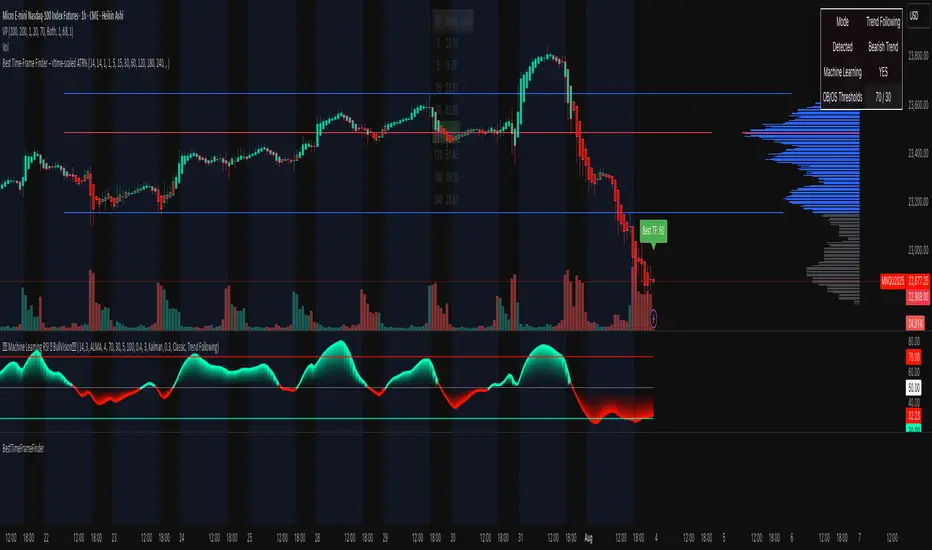
BestTimeFrameFinderLibrary "BestTimeFrameFinder"
adx(len)
Parameters:
len (simple int)
atrPercent(len)
Parameters:
len (simple int)
scaleFromTf(tf, atrWeight)
Parameters:
tf (string)
atrWeight (simple float)
scoreLocal(adxLen, atrLen, scale)
Parameters:
adxLen (simple int)
atrLen (simple int)
scale (simple float)
maxInArray(arr)
Parameters:
arr (array)
TimezoneFormatIANAUTCLibrary "TimezoneFormatIANAUTC"
Provides either the full IANA timezone identifier or the corresponding UTC offset for TradingView’s built-in variables and functions.
tz(_tzname, _format)
Parameters:
_tzname (string) : "London", "New York", "Istanbul", "+1:00", "-03:00" etc.
_format (string) : "IANA" or "UTC"
Returns: "Europe/London", "America/New York", "UTC+1:00"
Example Code
import ARrowofTime/TimezoneFormatIANAUTC/1 as libtz
sesTZInput = input.string(defval = "Singapore", title = "Timezone")
example1 = libtz.tz("London", "IANA") // Return Europe/London
example2 = libtz.tz("London", "UTC") // Return UTC+1:00
example3 = libtz.tz("UTC+5", "IANA") // Return UTC+5:00
example4 = libtz.tz("UTC+4:30", "UTC") // Return UTC+4:30
example5 = libtz.tz(sesTZInput, "IANA") // Return Asia/Singapore
example6 = libtz.tz(sesTZInput, "UTC") // Return UTC+8:00
sesTime1 = time("","1300-1700", example1) // returns the UNIX time of the current bar in session time or na
sesTime2 = time("","1300-1700", example2) // returns the UNIX time of the current bar in session time or na
sesTime3 = time("","1300-1700", example3) // returns the UNIX time of the current bar in session time or na
sesTime4 = time("","1300-1700", example4) // returns the UNIX time of the current bar in session time or na
sesTime5 = time("","1300-1700", example5) // returns the UNIX time of the current bar in session time or na
sesTime6 = time("","1300-1700", example6) // returns the UNIX time of the current bar in session time or na
Parameter Format Guide
This section explains how to properly format the parameters for the tz(_tzname, _format) function.
_tzname (string) must be either;
A valid timezone name exactly as it appears in the chart’s lower-right corner (e.g. New York, London).
A valid UTC offset in ±H:MM or ±HH:MM format. Hours: 0–14 (zero-padded or not, e.g. +1:30, +01:30, -0:00). Minutes: Must be 00, 15, 30, or 45
examples;
"New York" → ✅ Valid chart label
"London" → ✅ Valid chart label
"Berlin" → ✅ Valid chart label
"America/New York" → ❌ Invalid chart label. (Use "New York" instead)
"+1:30" → ✅ Valid offset with single-digit hour
"+01:30" → ✅ Valid offset with zero-padded hour
"-05:00" → ✅ Valid negative offset
"-0:00" → ✅ Valid zero offset
"+1:1" → ❌ Invalid (minute must be 00, 15, 30, or 45)
"+2:50" → ❌ Invalid (minute must be 00, 15, 30, or 45)
"+15:00" → ❌ Invalid (hour must be 14 or below)
_tztype (string) must be either;
"IANA" → returns full IANA timezone identifier (e.g. "Europe/London"). When a time function call uses an IANA time zone identifier for its timezone argument, its calculations adjust automatically for historical and future changes to the specified region’s observed time, such as daylight saving time (DST) and updates to time zone boundaries, instead of using a fixed offset from UTC.
"UTC" → returns UTC offset string (e.g. "UTC+01:00")

MirPapa_Handler_HTFLibrary "MirPapa_Handler_HTF"
High Time Frame Handler Library:
Provides utilities for working with High Time Frame (HTF) and chart (LTF) conversions and data retrieval.
IsChartTFcomparisonHTF(_chartTf, _htfTf)
IsChartTFcomparisonHTF
@description
Determine whether the given High Time Frame (HTF) is greater than or equal to the current chart timeframe.
Parameters:
_chartTf (string) : The current chart’s timeframe string (examples: "5", "15", "1D").
_htfTf (string) : The High Time Frame string to compare (examples: "60", "1D").
@return
Returns true if HTF minutes ≥ chart minutes, false otherwise or na if conversion fails.
GetHTFrevised(_tf, _case)
GetHTFrevised
@description
Retrieve a specific bar value from a Higher Time Frame (HTF) series.
Supports current and historical OHLC values, based on a case identifier.
Parameters:
_tf (string) : The target HTF string (examples: "60", "1D").
_case (string) : A case string determining which OHLC value and bar offset to request:
"b" → HTF bar_index
"o" → HTF open
"h" → HTF high
"l" → HTF low
"c" → HTF close
"o1" → HTF open one bar ago
"h1" → HTF high one bar ago
"l1" → HTF low one bar ago
"c1" → HTF close one bar ago
… up to "o5", "h5", "l5", "c5" for five bars ago.
@return
Returns the requested HTF value or na if _case does not match any condition.
GetHTFfromLabel(_label)
GetHTFfromLabel
@description
Convert a Korean HTF label into a Pine Script-recognizable timeframe string.
Examples:
"5분" → "5"
"1시간" → "60"
"일봉" → "1D"
"주봉" → "1W"
"월봉" → "1M"
"연봉" → "12M"
Parameters:
_label (string) : The Korean HTF label string (examples: "5분", "1시간", "일봉").
@return
Returns the Pine Script timeframe string corresponding to the label, or "1W" if no match is found.
GetHTFoffsetToLTFoffset(_offset, _chartTf, _htfTf)
GetHTFoffsetToLTFoffset
@description
Adjust an HTF bar index and offset so that it aligns with the current chart’s bar index.
Useful for retrieving historical HTF data on an LTF chart.
Parameters:
_offset (int) : The HTF bar offset (0 means current HTF bar, 1 means one bar ago, etc.).
_chartTf (string) : The current chart’s timeframe string (examples: "5", "15", "1D").
_htfTf (string) : The High Time Frame string to align (examples: "60", "1D").
@return
Returns the corresponding LTF bar index after applying HTF offset. If result is negative, returns 0.
WhispererRealtimeVolumeLibrary "WhispererRealtimeVolume"
▮ Overview
The Whisperer Realtime Volume Library is a lightweight and reusable Pine Script® library designed for real-time volume analysis.
It calculates up, down, and neutral volumes dynamically, making it an essential tool for traders who want to gain deeper insights into market activity.
This library is a simplified and modular version of the original "Realtime Volume Bars w Market Buy/Sell/Neutral split & Mkt Delta" indicator by the_MarketWhisperer , tailored for integration into custom scripts.
How bars are classified
- Up Bars
If the current bar’s closing price is higher than the previous bar’s closing price, it is classified as an up bar.
Volume handling:
The increase in volume for this bar is added to the up volume.
This represents buying pressure.
- Down Bars
If the current bar’s closing price is lower than the previous bar’s closing price, it is classified as a down bar.
Volume handling:
The increase in volume for this bar is added to the down volume.
This represents selling pressure.
- Neutral Bars
If the current bar’s closing price is the same as the previous bar’s closing price, it is classified as a neutral bar.
Volume handling:
If neutral volume is enabled, the volume is added to the neutral volume.
If neutral volume is not enabled, the volume is assigned to the same direction as the previous bar (up or down). If the previous direction is unknown, it is added to the neutral volume.
▮ What to look for
Real-Time Volume Calculation : Analyze up, down, and neutral volumes in real-time based on price movements and bar volume.
Customizable Start Line : Add a visual reference line to your chart for better context by viewing the starting point of real-time bars.
Ease of Integration : Designed as a library for seamless use in other Pine Script® indicators or strategies.
▮ How to use
Example code:
//@version=6
indicator("Volume Realtime from Whisperer")
import andre_007/WhispererRealtimeVolume/4 as MW
MW.displayStartLine(startLineColor = color.gray, startLineWidth = 1, startLineStyle = line.style_dashed,
displayStartLine = true, y1=volume, y2=volume + 10)
= MW.mw_upDownVolumeRealtime(true)
plot(volume, style=plot.style_columns, color=color.gray)
plot(volumeUp, style=plot.style_columns, color=color.green)
plot(volumeDown, style=plot.style_columns, color=color.red)
plot(volumeNeutral, style=plot.style_columns, color=color.purple)
▮ Credits
This library is inspired by the original work of the_MarketWhisperer , whose "Realtime Volume Bars" indicator served as the foundation.
Link to original indicator :

NYCSessionLibrary "NYCSession"
Library for New York trading session time functions
@author abneralvarado
@version 1.0
isInNYSession(sessionStart, sessionEnd)
Determines if the current bar is within New York trading session
Parameters:
sessionStart (simple int) : Starting time of NY session in 24hr format (HHMM) like 0930 for 9:30 AM ET
sessionEnd (simple int) : Ending time of NY session in 24hr format (HHMM) like 1600 for 4:00 PM ET
Returns: True if current bar is within the NY session time, false otherwise
getNYSessionStartTime(lookback, sessionStart)
Gets the start time of NY session for a given bar
Parameters:
lookback (simple int) : Bar index to check (0 is current bar)
sessionStart (simple int) : Starting time of NY session in 24hr format (HHMM)
Returns: Unix timestamp for the start of NY session on the given bar's date
getNYSessionEndTime(lookback, sessionEnd)
Gets the end time of NY session for a given bar
Parameters:
lookback (simple int) : Bar index to check (0 is current bar)
sessionEnd (simple int) : Ending time of NY session in 24hr format (HHMM)
Returns: Unix timestamp for the end of NY session on the given bar's date
isNYSessionOpen(sessionStart)
Checks if current bar opens the NY session
Parameters:
sessionStart (simple int) : Starting time of NY session in 24hr format (HHMM)
Returns: True if current bar marks the session opening, false otherwise
isNYSessionClose(sessionEnd)
Checks if current bar closes the NY session
Parameters:
sessionEnd (simple int) : Ending time of NY session in 24hr format (HHMM)
Returns: True if current bar marks the session closing, false otherwise
isWeekday()
Determines if the current day is a weekday (Mon-Fri)
Returns: True if current bar is on a weekday, false otherwise
getSessionBackgroundColor(sessionStart, sessionEnd, bgColor)
Gets session background color with transparency
Parameters:
sessionStart (simple int) : Starting time of NY session in 24hr format (HHMM)
sessionEnd (simple int) : Ending time of NY session in 24hr format (HHMM)
bgColor (color) : Background color for session highlighting
Returns: Color value for background or na if not in session

TimezoneLibrary with pre-defined timezone enums that can be used to request a timezone input from the user. The library provides a `tostring()` function to convert enum values to a valid string that can be used as a `timezone` parameter in pine script built-in functions. The library also includes a bonus function to get a formatted UTC offset from a UNIX timestamp.
The timezone enums in this library were compiled by referencing the available timezone options from TradingView chart settings as well as multiple Wikipedia articles relating to lists of time zones.
Some enums from this library are used to retrieve an IANA time zone identifier, while other enums only use UTC/GMT offset notation. It is important to note that the Pine Script User Manual recommends using IANA notation in most cases.
HOW TO USE
This library is intended to be used by Pine Coders who wish to provide their users with a simple way to input a timezone. Using this library is as easy as 1, 2, 3:
Step 1
Import the library into your script. Replace with the latest available version number for this library.
//@version=6
indicator("Example")
import n00btraders/Timezone/ as tz
Step 2
Select one of the available enums from the library and use it as an input. Tip: view the library source code and scroll through the enums at the top to find the best choice for your script.
timezoneInput = input.enum(tz.TimezoneID.EXCHANGE, "Timezone")
Step 3
Convert the user-selected input into a valid string that can be used in one of the pine script built-in functions that have a `timezone` parameter.
string timezone = tz.tostring(timezoneInput)
EXPORTED FUNCTIONS
There are multiple 𝚝𝚘𝚜𝚝𝚛𝚒𝚗𝚐() functions in this library: one for each timezone enum. The function takes a single parameter: any enum field from one of the available timezone enums that are exported by this library. Depending on the selected enum, the function will return a time zone string in either UTC/GMT notation or IANA notation.
Note: to avoid confusion with the built-in `str.tostring()` function, it is recommended to use this library's `tostring()` as a method rather than a function:
string timezone = timezoneInput.tostring()
offset(timestamp, format, timezone, prefix, colon)
Formats the time offset from a UNIX timestamp represented in a specified timezone.
Namespace types: series OffsetFormat
Parameters:
timestamp (int) : (series int) A UNIX time.
format (series OffsetFormat) : (series OffsetFormat) A time offset format.
timezone (string) : (series string) A UTC/GMT offset or IANA time zone identifier.
prefix (string) : (series string) Optional 'UTC' or 'GMT' prefix for the result.
colon (bool) : (series bool) Optional usage of colon separator.
Returns: Time zone offset using the selected format.
The 𝚘𝚏𝚏𝚜𝚎𝚝() function is provided as a convenient alternative to manually using `str.format_time()` and then manipulating the result.
The OffsetFormat enum is used to decide the format of the result from the `offset()` function. The library source code contains comments above this enum declaration that describe how each enum field will modify a time offset.
Tip: hover over the `offset()` function call in the Pine Editor to display a pop-up containing:
Function description
Detailed parameter list, including default values
Example function calls
Example outputs for different OffsetFormat.* enum values
NOTES
At the time of this publication, Pine cannot be used to access a chart's selected time zone. Therefore, the main benefit of this library is to provide a quick and easy way to create a pine script input for a time zone (most commonly, the same time zone selected in the user's chart settings).
At the time of the creation of this library, there are 95 Time Zones made available in the TradingView chart settings. If any changes are made to the time zone settings, this library will be updated to match the new changes.
All time zone enums (and their individual fields) in this library were manually verified and tested to ensure correctness.
An example usage of this library is included at the bottom of the source code.
Credits to HoanGhetti for providing a nice Markdown resource which I referenced to be able to create a formatted informational pop-up for this library's `offset()` function.

