חפש סקריפטים עבור "bear"
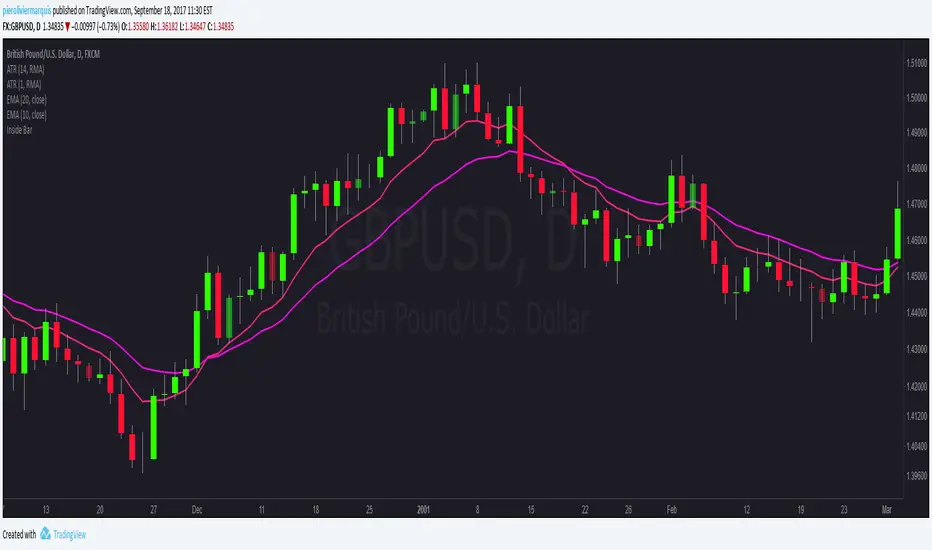
Bullish and Bearish Engulfing Patterns auto detectionThis simple indicator detects automatically most important bullish and bearish candlestick patterns formations. Used to locate potential supply and demand imbalances.
Copyright 2017 Alfonso Moreno www.set-and-forget.com
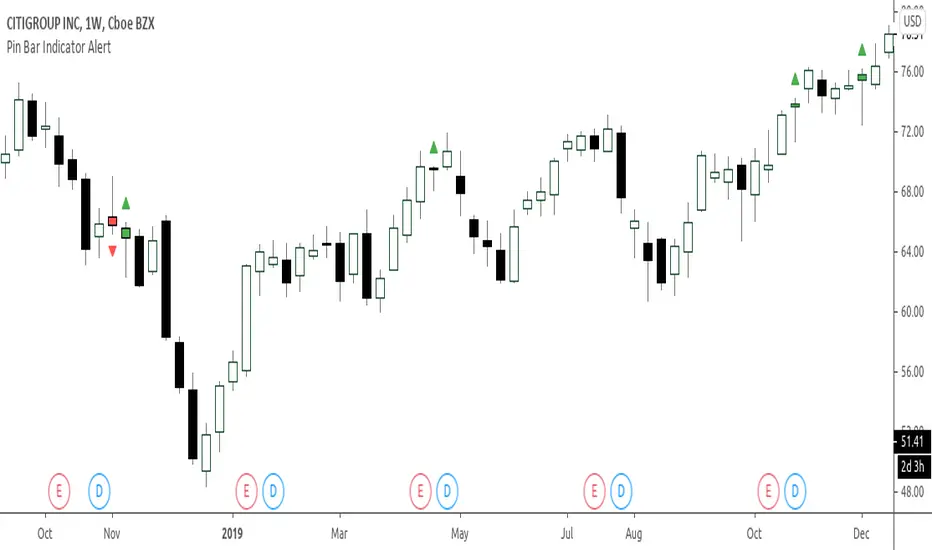
Super Envolvente (Bullish y Bearish)Identificador de Super-envolventes (SE), se encarga de darle un color verde a la SE alzista (Bullish) verde y rojo a la bajista (Bearish).
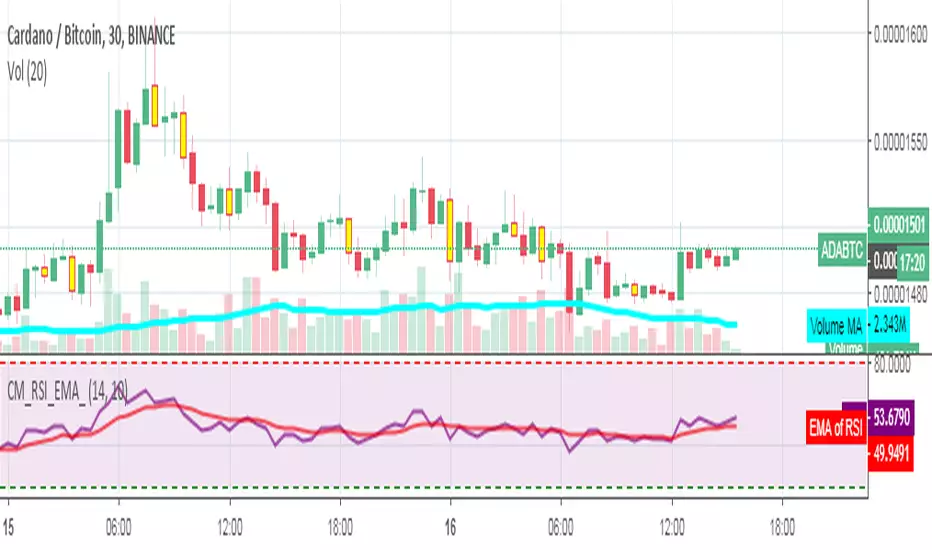
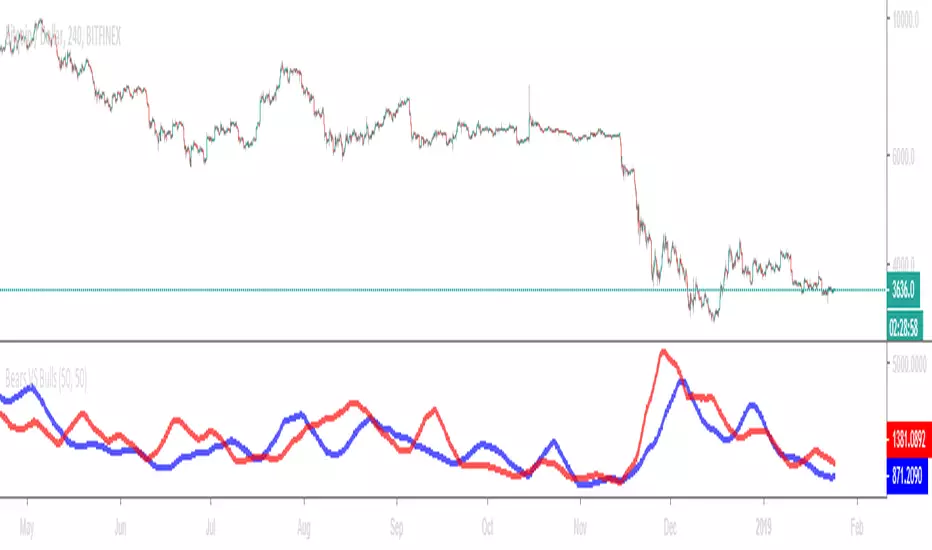
Bears VS BullsThis indicator will work on ANY instrument.
The red line is a moving average of ONLY sellers in the market.
The blue line is a moving average of ONLY buyers in the market.
The period or "length" of the individual moving averages can be adjusted in the indicator settings.
The default, it is set to 50.
Buying and selling trends often provide indications of market moves such as the most recent bottom in Cryptocurrencies.
Feel free to comment and share any indicator concepts or ideas for content you would like to see added to the Technical Indicator Bundle on www.kenzing.com
Bearish Trailing stopIt is a trailing SL. Works very well. Good good very good. Looks like my description needs more, so here is more random text.
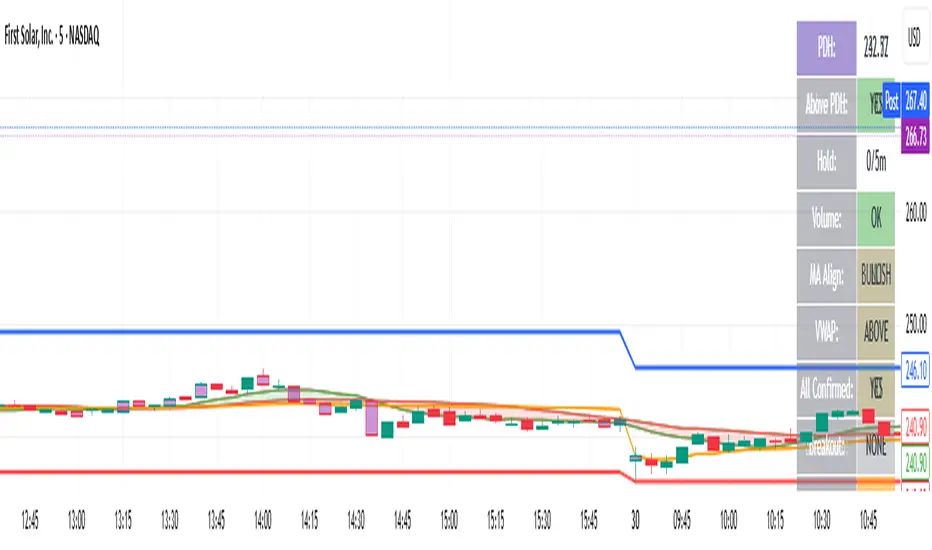
bearish Price Below PDL - Complete Multi-Confirmation Alert🎯 KEY IMPROVEMENTS:
1. Enhanced Alert Visibility:$jmoskyhigh
✅ HUGE triangle down marker with "SELL" text
✅ Alert title: "SELL SIGNAL - PDL BREAKDOWN CONFIRMED"
✅ Prominent info panel with red theme
✅ Clear "SELL ALERT: TRIGGERED" status
2. Better Visual Feedback:
Red frame around info panel
Larger shapes and markers
Color-coded confirmations (green = OK, red = FAIL)
Progress percentage displayed
Breakdown price label
3. Complete Alert System:
Main Alert: "SELL SIGNAL - PDL BREAKDOWN CONFIRMED"
Early Warning: "PDL Breakdown Started - Monitoring"
Reset Alert: "Confirmation Lost - Breakdown Reset"
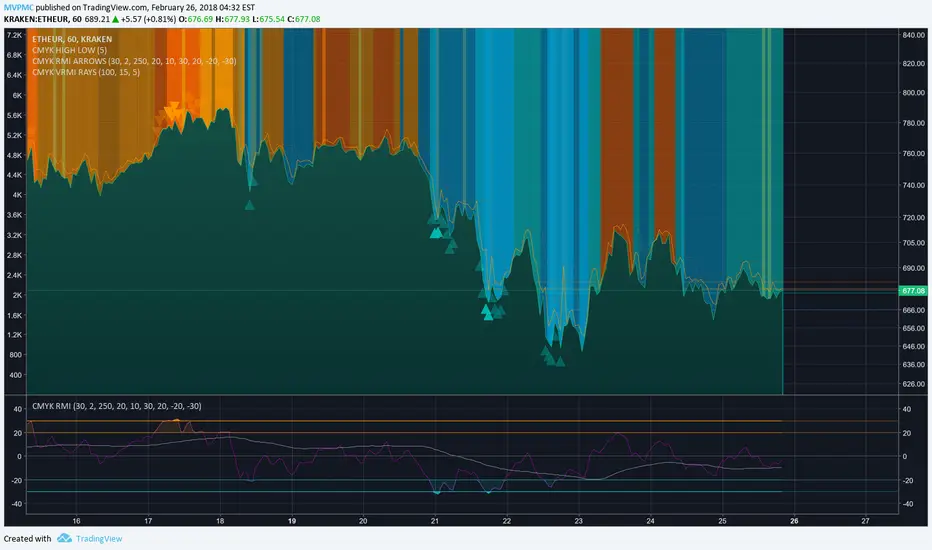
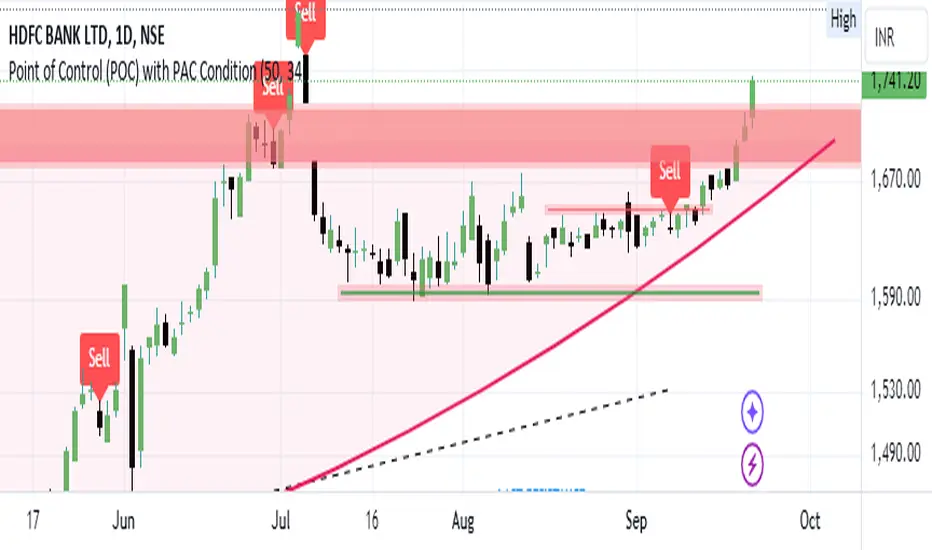
Bearish signal using Point of Control (POC) with PAC by guruThis indicator code helps traders identify potential sell opportunities using several important technical indicators:
Point of Control (POC) – This is the price level where the most volume was traded over the past several days.
Previous Day's Low – This shows the lowest price reached during the previous day.
PAC (Price Action Channel) EMA – These are two moving averages (one based on the low price and one based on the close price) that help determine if the price is trending within a certain range.
Volume SMA – This is a 3-day simple moving average (SMA) of volume, which helps filter out signals based on market activity.
What the Script Does:
Point of Control (POC):
The script looks at the last 50 days (configurable) and calculates which price level had the highest trading volume.
It then plots a red line on the chart at the POC level. This is important because it helps identify areas where there was strong market interest in the past.
Volume Moving Average:
The script calculates a 3-day SMA of volume, but it excludes the current day to avoid premature signals based on today’s trading.
The volume SMA is used to ensure there’s enough market activity (with a threshold set to 25 units) before triggering a sell signal.
Price Action Channel (PAC) EMA:
The PAC consists of two exponential moving averages (EMAs):
The PAC Low EMA: This is based on the low prices over the last 34 periods (configurable).
The PAC Close EMA: This is based on the closing prices over the last 34 periods.
These EMAs help determine if the price is trending above or below certain price levels.
Sell Signal Logic: The script checks three conditions before displaying a "Sell" signal:
Price Below POC and Previous Day’s Low:
The close price must be below both the Point of Control (POC) and the previous day's low.
Volume SMA Above 25:
The 3-day volume SMA must be greater than 25. This ensures the signal only triggers when there’s enough trading volume in the market.
Today’s Low is Above PAC EMAs:
Today's low price must be above both the PAC low EMA and the PAC close EMA. This prevents sell signals when prices are already significantly below the PAC, indicating possible exhaustion in the downtrend.
If all three conditions are met, the script will display a red "Sell" label on the chart, signaling a potential selling opportunity.
No Sell Signal if Price Reverses:
If the price crosses back above the POC or the previous day's low, the script will remove the sell signal and reset for a new opportunity.
Summary of Conditions:
For the script to display a "Sell" label:
The close price must be below the Point of Control (POC) and the previous day’s low.
The 3-day volume SMA (excluding today) must be greater than 25 units.
The low price of the current day must be above both the PAC low EMA and the PAC close EMA.
If these conditions are met, a red sell label appears on the chart as a potential signal for a short (sell) trade.
Bearish FS Continuation S1BB - baby bar / inside bar
DF - downflow, meaning 20MA below 50MA
EXE - execution bar, indicator to short
Mainly to identify execution bar for shorting using inside bar identification and force top
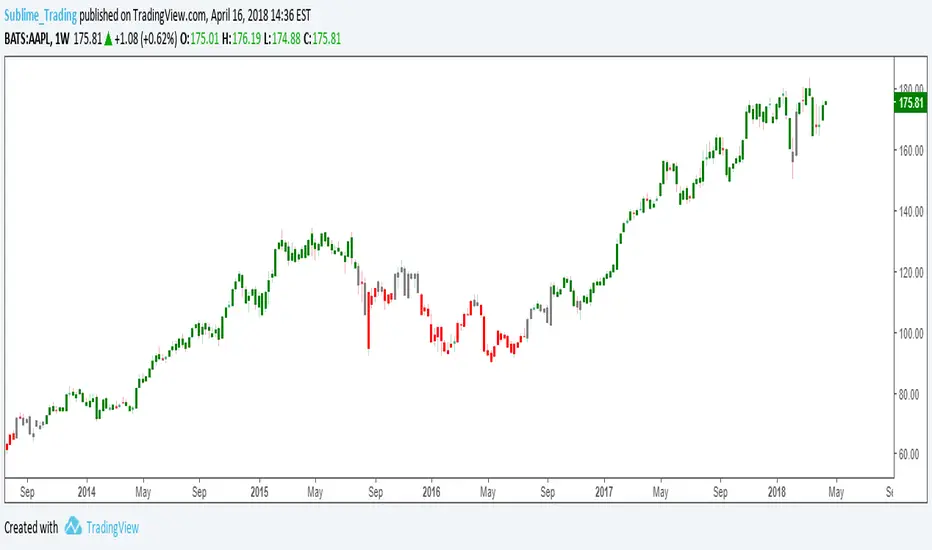
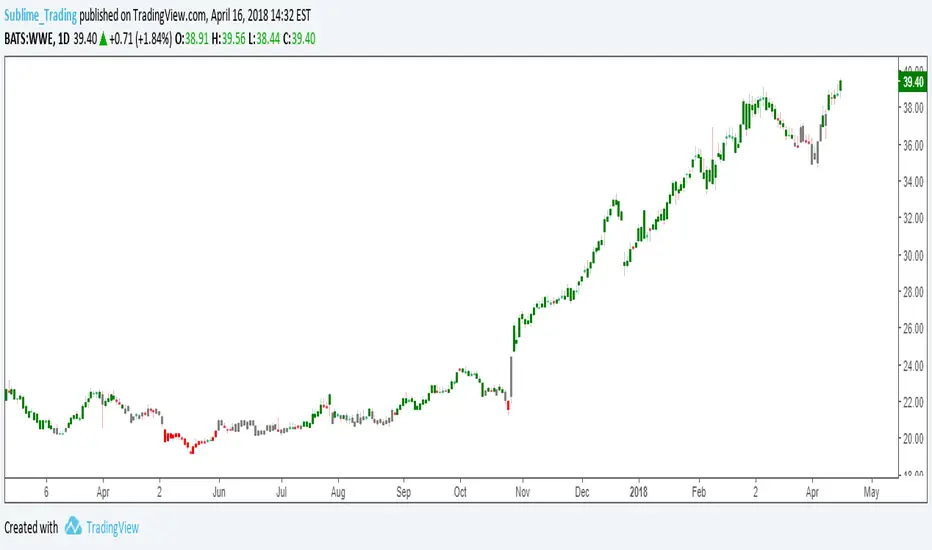
Guneet-ScalperBearish trend candle color change to red with sell print
Bullish trend candle color change to green with buy print
thanks
jas toor
Trinity Scalping Direction DashbaordTrinity Scalping Dashboard – User Guide
**Purpose**
This indicator shows whether the current price is above or below the 5-period EMA across five key timeframes (5 min, 15 min, 1 hour, 4 hour, Daily).
It highlights when all five timeframes are aligned in the same direction (all bullish or all bearish), giving a clear "Buy", "Sell", or "No Trade Zone" signal.
**What the indicator displays**
- A dashboard table appears in one corner of the chart
- Each row shows one timeframe
- Text says "Above - Bullish" (green) or "Below - Bearish" (red) depending on whether current price is above or below the 5 EMA on that timeframe
- The bottom row shows the overall signal:
- **Buy** → all 5 timeframes are bullish (price > 5 EMA on every TF)
- **Sell** → all 5 timeframes are bearish (price < 5 EMA on every TF)
- **No Trade Zone** → mixed alignment (not all timeframes agree)
**Customizing the indicator**
- **EMA Period** — default is 5, but you can change it (e.g. to 8, 9, 13, etc.)
- **Colors** — adjust Bullish (green), Bearish (red), and No Trade (yellow) colors to your preference
- **Table Position** — choose Top Right, Bottom Right, or Bottom Left
- **Text Sizes** — separately control the size of the timeframe rows and the signal row (Tiny → Huge)
- **Header** — shows "Options Direction Dashboard" at the top of the table (you can edit the text in the code if desired)
**How to read the signal**
- **Strong Buy** — entire table green + bottom row says **Buy**
- **Strong Sell** — entire table red + bottom row says **Sell**
- **No clear direction** — mixed colors + bottom row says **No Trade Zone**
Only trade in the direction of the **full alignment** (all rows same color) for highest-probability setups.
**Alerts**
Three alert conditions are built-in:
1. **Buy Signal** — triggers when all timeframes become bullish
2. **Sell Signal** — triggers when all timeframes become bearish
3. **Signal Change** — triggers any time the overall signal changes (Buy ↔ Sell ↔ No Trade)
To set an alert:
- Right-click on the chart → **Add Alert**
- In **Condition**, select this indicator
- Choose one of the three conditions (Buy Signal / Sell Signal / Signal Change)
- Set frequency to **Once Per Bar Close** (recommended for most users)
- Customize notification (email, SMS, webhook, etc.)
**Best practices**
- Use for scalping when all EMA align and only take trades in the direction of the alignment.
- Use on higher timeframes (1H, 4H, Daily) for swing/position trading and use the smaller timeframe to time entries
- Combine with your existing price action, support/resistance or other filters
- The strongest setups occur when the signal flips from No Trade → Buy or No Trade → Sell
Smart Order Flow Automator# 📊 Smart Order Flow Automator (SOF Pro)
### by Shiv Shakti Algo Systems
---
## 🔥 What Is This Indicator?
Smart Order Flow Automator tells you **WHERE the big players (banks, institutions, hedge funds) are buying and selling** — and gives you a clear **BUY or SELL signal** when the setup is ready.
Think of it as your personal trading assistant that:
- Shows you the **hidden levels** where big money is waiting
- Tells you **when to enter** with high-confidence signals
- Automatically calculates your **Stop Loss and 3 Take Profit** levels
- Works for **Forex, Gold (XAUUSD), Nifty, and BankNifty**
No guesswork. No confusion. Just clean signals with risk management.
---
## 👁 What Will You See On Your Chart?
### 🟢🔴 Colored Boxes (Order Blocks)
These are zones where institutions placed large orders in the past. When price comes back to these zones, there's a high probability of a bounce.
- **Green boxes** = Demand zones (institutions were BUYING here → expect price to bounce UP)
- **Red boxes** = Supply zones (institutions were SELLING here → expect price to bounce DOWN)
- **Bright color** = Fresh zone (never tested — STRONGEST)
- **Faded color** = Tested once (still good, but weaker)
- **Gray color** = Tested multiple times (weak — avoid)
### 🟦 Semi-Transparent Zones (Fair Value Gaps — FVG)
These are price gaps where the market moved too fast, leaving unfilled orders behind. Price tends to come back and fill these gaps.
- **Teal/Blue zones** = Bullish FVG (price may bounce UP from here)
- **Maroon/Dark Red zones** = Bearish FVG (price may reject DOWN from here)
- When a gap gets 50% filled, it fades automatically
- When fully filled, it disappears from your chart — keeping things clean
### ── Horizontal Lines (Key Levels)
These are the most important price levels that institutions watch every single day:
| Line | Color | What It Means |
|------|-------|---------------|
| **PDH** (Previous Day High) | Red | Yesterday's highest price — acts as resistance |
| **PDL** (Previous Day Low) | Green | Yesterday's lowest price — acts as support |
| **PDC** (Previous Day Close) | Gray | Yesterday's closing price — reference point |
| **PD POC** (Previous Day Point of Control) | Yellow (thick) | Where MOST volume was traded yesterday — price magnet (80% chance price comes here) |
| **PD VAH** (Previous Day Value Area High) | Red (thin) | Top of yesterday's fair value zone — resistance |
| **PD VAL** (Previous Day Value Area Low) | Green (thin) | Bottom of yesterday's fair value zone — support |
| **PWH** (Previous Week High) | Red (thick) | Last week's high — strong resistance for swing trades |
| **PWL** (Previous Week Low) | Green (thick) | Last week's low — strong support for swing trades |
| **PW POC** (Previous Week POC) | Yellow (thick) | Last week's volume magnet |
**💡 Simple Rule:** When price reaches these lines, WAIT for a signal. These are the levels where the best trades happen.
### 📈📉 Signal Labels
| What You See | What It Means | What To Do |
|---|---|---|
| 🟢 **"STRONG BUY"** (green label below candle) | All conditions confirmed — HIGH probability buy | Enter a BUY trade. SL/TP will appear automatically. |
| 🔴 **"STRONG SELL"** (red label above candle) | All conditions confirmed — HIGH probability sell | Enter a SELL trade. SL/TP will appear automatically. |
| 🔼 **"BUY"** (small green triangle) | Good setup but not all conditions met | Enter with caution, use tighter position size |
| 🔽 **"SELL"** (small red triangle) | Good setup but not all conditions met | Enter with caution, use tighter position size |
| 💎 **"SWEEP"** (circle below/above candle) | Big players grabbed liquidity and reversed | Very powerful reversal signal — enter in sweep direction |
### 💎 Diamond Markers (Liquidity Sweeps)
- **Green diamond below candle** = Price swept below a key low and bounced back up — Bullish reversal
- **Pink diamond above candle** = Price swept above a key high and dropped back — Bearish reversal
This is how institutions trap retail traders — they push price past a level to trigger stop losses, then reverse. This marker tells you when that happens.
### ✚ Yellow Crosses (Volume Spikes)
Small yellow crosses appear when trading volume suddenly increases significantly. High volume = something big is happening. Combine this with nearby zones for the best trades.
### ✕ Orange X-Marks (Poor High/Low)
- **Orange X above candle** = Flat top (Poor High) — likely to be swept. Future target for price.
- **Orange X below candle** = Flat bottom (Poor Low) — likely to be swept. Future target for price.
### 🚩 Small Flags (Single Prints)
These mark fast-move zones where price shot up or down without any pause. Price tends to come back to these areas. Think of them as "unfinished business."
### ── Thick Colored Line (Anchored VWAP)
This line shows the **average price** weighted by volume since the start of the session.
- **Line is GREEN** = Price is trading ABOVE average → Bullish bias → Look for BUY signals
- **Line is RED** = Price is trading BELOW average → Bearish bias → Look for SELL signals
**Simple Rule:** Only take BUY signals when the VWAP line is green. Only take SELL signals when it's red.
### ── Red/Green Dashed Lines (Stop Loss & Take Profit)
When a signal appears, you'll see automatic lines:
- **Red line** = Your Stop Loss (exit if price hits this — you were wrong)
- **Light green line** = TP1 (first target — book partial profit here)
- **Medium green line** = TP2 (second target — book more profit)
- **Dark green line** = TP3 (final target — let the rest ride to here)
These levels are **dynamic** — they adjust based on current market volatility. In a volatile market, SL is wider. In a calm market, SL is tighter. This protects you from being stopped out too early.
### 🎨 Background Colors (Session Killzones — Forex/Gold Only)
The chart background changes color based on which trading session is active:
| Background | Session | Best For |
|---|---|---|
| **Purple tint** | Asian Session | Ranging market — wait for breakout |
| **Blue tint** | London Session | High volatility — best for entries |
| **Orange tint** | New York Session | High volatility — best for entries |
**💡 Pro Tip:** The BEST signals come during London and New York sessions (blue and orange backgrounds). Avoid trading during Asian session unless you see a STRONG signal.
### 🇮🇳 Indian Market Background Colors
| Background | What It Means |
|---|---|
| **Gray tint** (11:30 AM – 1:30 PM) | Lunch time — low activity, avoid new trades |
| **Red tint** (after 3:00 PM) | Market closing soon — exit or avoid new entries |
---
## 📊 The Dashboard (Top Right Corner)
A live information panel that shows you everything at a glance:
### PREV DAY Section
- All previous day levels with their exact prices
- Distance from current price (in ticks) — tells you how far away each level is
### WEEKLY Section
- Previous week high, low, and POC prices
### MARKET STATE Section
| Label | What It Shows |
|---|---|
| **HTF Trend** | Is the bigger picture Bullish 🟢, Bearish 🔴, or Neutral ⚪? |
| **Market Type** | EXPANSION 🔥 (strong move), TRENDING 📈 (directional), or RANGE 📊 (sideways) |
| **HTF RSI** | Shows if the market is Overbought (🔴 avoid buys) or Oversold (🟢 avoid sells) |
| **Volume** | Current volume compared to average — HIGH ⚡ means something big is happening |
### SESSION Section
- Which session is active (London/NY/Asian for Forex, or Active/Lunch/Closing for Indian)
- AVWAP status — is price above ✅ or below ❌
### SIGNAL Section
- **🟢 LONG ACTIVE** = Buy trade is running
- **🔴 SHORT ACTIVE** = Sell trade is running
- **⏳ IN BUY/SELL ZONE** = Price is in a zone, waiting for confirmation
- **👁 WATCHING** = No setup yet, be patient
- When trade is active: shows live SL, TP1, TP2, TP3 prices
### RISK Section
- Current ATR value (market volatility measurement)
- Your risk percentage setting
### 🇮🇳 Indian Market Extra Info
- **Gap** — Shows if today opened with a Gap Up, Gap Down, or No Gap
- **OR H/L** — Opening Range High and Low values
- **⚠️ EXPIRY** — Thursday warning for weekly expiry volatility
---
## 🎯 How To Use — Step by Step
### Step 1: Set Up
- Add the indicator to your chart
- Go to Settings → Select your **Market Type** (Forex/Gold or Indian NSE/BSE)
- Choose your preferred timeframe (recommended: 5M or 15M)
### Step 2: Read The Dashboard
Before doing anything, check:
- ✅ HTF Trend — Which direction is the big picture?
- ✅ Volume — Is it HIGH? (Good for trading) or LOW? (Wait)
- ✅ Session — Is it an active session? (London/NY for Forex, 9:30-11:30 for India)
### Step 3: Wait For Price To Reach A Zone
- Watch for price approaching the horizontal lines (PDH, PDL, POC, etc.)
- Watch for price entering colored boxes (Order Blocks)
- The dashboard will show "⏳ IN BUY/SELL ZONE" when price reaches a zone
### Step 4: Wait For The Signal
- **DO NOT enter just because price is in a zone!**
- Wait for a **STRONG BUY**, **STRONG SELL**, or **SWEEP** label to appear
- The indicator checks volume, candle pattern, VWAP alignment, and RSI — all automatically
### Step 5: Enter The Trade
- When a signal appears, SL and TP lines will appear automatically
- Enter your trade in the signal direction
- Set your Stop Loss at the red line
- Set Take Profit at TP1 (safe), TP2 (moderate), or TP3 (aggressive)
### Step 6: Manage The Trade
- Book partial profit at TP1 (move SL to entry for a risk-free trade)
- Let remaining position run to TP2 or TP3
- For Indian markets: EXIT all trades by 3:15 PM regardless
---
## 💡 Golden Rules For Best Results
1. **Only trade STRONG signals** until you're confident with the system
2. **Best signals come at Previous Day levels** — PDH, PDL, and especially PD POC
3. **Liquidity Sweep + STRONG signal = Highest probability trade** in the entire system
4. **Fresh Order Blocks (bright color) > Tested Order Blocks (faded)** — always
5. **Green VWAP = only take buys. Red VWAP = only take sells.** Never go against it.
6. **London and New York sessions** give the best moves for Forex/Gold
7. **9:30 AM – 11:30 AM** is the golden window for Indian markets
8. **If HTF RSI shows OVERBOUGHT** — do NOT buy, wait for sells only
9. **If dashboard says RANGE** — trade towards the POC (middle). If EXPANSION — trade with the trend.
10. **Always risk maximum 1-2% per trade** — protect your capital first, profits will follow
---
## ⚙️ Quick Settings Guide
| Setting | What It Does | Recommended |
|---|---|---|
| Market Type | Switches between Forex and Indian mode | Pick your market |
| Volume Multiplier | How much volume spike is needed for signal | 1.5x (default) |
| ATR SL Multiplier | How wide your stop loss is | 1.5 (Gold), 2.0 (Forex) |
| RSI HTF Timeframe | Which timeframe for RSI filter | 240 (4 Hour) |
| Killzone Toggle | Show/hide session backgrounds | ON for Forex |
| Dashboard | Show/hide the info panel | ON (recommended) |
Everything else can stay at default. Adjust only after you're familiar with the system.
---
## ⚠️ DISCLAIMER & RISK WARNING
**PLEASE READ CAREFULLY BEFORE USING THIS INDICATOR:**
❗ **This indicator is for educational and informational purposes only.** It does NOT constitute financial advice, investment advice, or trading advice of any kind. The signals and analysis provided are tools for your own research — not instructions to buy or sell.
❗ **Trading in Forex, Gold, Equities, Futures, and Options involves substantial risk of loss.** You could lose part of or all of your invested capital. Past performance of any signal or system is NOT a guarantee of future results. Markets can and do behave unpredictably.
❗ **No indicator is 100% accurate.** Signals generated by this indicator may result in losing trades. Market conditions including slippage, spread widening, low liquidity, news events, and broker execution can affect outcomes in ways that no indicator can predict or account for.
❗ **You are solely responsible for your trading decisions.** By using this indicator, you accept full responsibility for any trades you take. The developer(s) of this indicator shall not be held liable for any financial losses, damages, or consequences resulting from the use of this indicator.
❗ **This indicator is NOT approved, endorsed, or regulated by any financial authority** including SEBI (India), SEC (USA), CFTC (USA), FCA (UK), ASIC (Australia), or any other regulatory body.
❗ **Always trade with money you can afford to lose.** If you are new to trading, we strongly recommend practicing on a demo/paper trading account before using real capital. Consult a qualified financial advisor before making investment decisions.
**By adding this indicator to your chart, you acknowledge that:**
- You have read and understood this disclaimer completely
- You accept all risks associated with trading financial markets
- You will NOT hold the developer(s) responsible for any trading losses
- You understand that signals are tools, not guarantees
- Trading decisions are 100% your own responsibility
---
*If you find this indicator helpful, please give it a 👍 and follow us for future updates! Drop a comment below if you have any questions — we're happy to help.*
*Happy Trading! 🚀*
[SpaghettiForex] SFK - MACD Wave Divergences + Keltner x3SFK — MACD Wave Divergences (PRE + CONF) + Keltner x3 is a context indicator that highlights MACD histogram “wave” divergences on price, with two modes:
- PRE (Turning Point): earlier, faster markers inside the current wave (may be invalidated if the wave continues).
- CONF (Wave Peak): confirmed markers based on the true peak of each completed wave (typically more stable).
It also plots three Keltner Channel bands to provide volatility/extension context around the same areas.
This tool does not predict the market and it is not a guaranteed entry system. Divergences can fail. SFK is designed to help you spot potential momentum/structure mismatches and then decide what to do with your own process and risk management.
What it shows:
- PRE divergence markers (optional): triggered at the first histogram turning point inside a wave.
- CONF divergence markers (optional): triggered when a wave ends and its true peak is confirmed.
- Divergence lines connecting the two reference peaks (optional).
- Keltner Channels x3 (optional): EMA basis + ATR bands (1x / 1.5x / 2x).
________________________________________
Screenshots (examples):
Screenshot 1 — Overview (Keltner x3 + divergences)
A clean chart view showing Keltner Channels and a couple of divergence examples.
Use this to communicate what SFK looks like in normal use.
Screenshot 2 — PRE divergence (early turning point)
Example of a PRE divergence: earlier detection during the wave as the histogram turns.
PRE is faster but can be invalidated if the wave continues and a stronger peak forms.
Screenshot 3 — CONF divergence (wave peak confirmed)
Example of a CONF divergence: the signal is generated at wave end using the confirmed wave peak.
This mode is slower but generally more stable and easier to validate visually.
________________________________________
How it works (high level):
1. SFK computes the MACD histogram and splits it into “waves” based on histogram sign (positive vs negative).
2. For each wave, it tracks one peak per wave:
- Positive wave → maximum histogram value + corresponding price high.
- Negative wave → minimum histogram value + corresponding price low.
3. A divergence is detected when two peaks of the same colour meet classic conditions:
- Bearish: price makes a higher high while histogram peak is lower.
- Bullish: price makes a lower low while histogram peak is higher.
4. PRE uses an early turning point inside the current wave; CONF uses the confirmed peak when the wave ends.
Practical use (context, not entries):
- Use CONF for confirmed wave-peak divergences (fewer, more stable by design).
- Use PRE for early turning-point alerts (faster, may be invalidated as the wave develops).
- Use the Keltner bands to contextualise whether price is expanding/extended when a divergence appears.
ALERTS
Optional alerts are available for:
- PRE bearish / PRE bullish divergences.
- CONF bearish / CONF bullish divergences.
If “Alert On Bar Close Only” is enabled, alerts are evaluated only on confirmed bar close.
Important note:
SFK is a context indicator. It does not provide financial advice or performance guarantees. Divergences can appear in strong trends and still fail. Always apply appropriate risk management and confirmation rules from your own process.
MACD Quality Confirmation Bipolar Index V2Indicator: MACD Quality Confirmation Bipolar Index (V2)
Overview
The MACD Quality Confirmation Bipolar Index V2 is a quantitative tool designed to solve the "False Signal" problem inherent in traditional MACD oscillators. Instead of merely showing momentum direction, this indicator filters MACD signals through a multi-dimensional Quality Engine that analyzes liquidity and price action efficiency.
Why Use This?
Standard MACD often produces "noisy" crossovers during low-volume consolidation or erratic price movements. This indicator assigns a "Quality Score" (0-100) to every move, visualized as a bipolar histogram.
Key Features
Liquidity Filtering (Volume Factor): Uses a percentile-based log-volume calculation over a 1-year lookback. It ensures that signals occurring on low institutional participation are suppressed.
Efficiency Scoring (Smoothness): Measures the ratio of candle body size to the total range. High-wick "erratic" price action reduces the score, while solid, trend-driven candles increase it.
Bipolar Visualization: * Positive Bars: Bullish momentum confirmed by high quality.
Negative Bars: Bearish momentum confirmed by high quality.
Bright Colors: Indicate "Strong Zones" (Score > 60), where price action and volume are in perfect sync.
Smart Crossover Labels: * Green/Red Triangles: High-quality crossovers (Score > 40).
Gray Triangles: Low-quality "noise" crossovers.
Yellow "!" Mark: A warning for extremely weak signals (Score < 20).
How to Trade
The Power Setup: Look for a Bullish Cross (Triangle) that coincides with a bar entering the Strong Zone (above 60). This indicates a high-conviction entry.
The Noise Filter: If you see a MACD crossover but the histogram remains in the "Active Zone" (below 40) or triggers a "!", exercise caution; the market may be ranging.
Trend Strength: Watch for increasing bar heights. If price moves higher but the Quality Score declines, it suggests a "hollow" trend prone to reversal.
BoomBoomChak[MAGIC]Indicator Description
This indicator is designed to identify trend continuation and potential pullback confirmation zones.
It helps traders filter market noise and focus on high-probability trade setups.
Applicable Markets & Timeframes
Markets: Forex, Gold, Indices
Recommended Timeframes: M15 / H1 / H4
Not recommended for timeframes below M5
Signal Types
BUY Signal (Green Arrow)
Indicates bullish market structure with confirmation.
SELL Signal (Red Arrow)
Indicates bearish market structure with confirmation.
No Signal / Filter Zone
Market conditions are unclear. Staying out is recommended.
TF Trend + Buy - Sell Signal Predictor By AI คำอธิบายสคริปต์
Gold Ultimate Dashboard V12 เป็นเครื่องมือวิเคราะห์ทางเทคนิคแบบครบวงจรที่ออกแบบมาเพื่อเทรดเดอร์ทองคำ (XAUUSD) โดยเฉพาะ โดยรวมระบบอัจฉริยะไว้ในหน้าจอเดียว:
AI Predictor: วิเคราะห์ทิศทางราคาล่วงหน้า (ขึ้น/ลง/ไซด์เวย์) เป็นเปอร์เซ็นต์ด้วยอัลกอริทึม Multi-Indicator
AI TP Target: คำนวณจุดทำกำไร (Take Profit) อัตโนมัติอิงตามความผันผวนของตลาด (ATR)
Smart Money Concepts (SMC): ตรวจจับกล่อง Order Block และ FVG เพื่อหาจุดกลับตัวที่แม่นยำ
Multi-TF Power: สรุปแรงซื้อ-ขาย และเทรนด์จาก 12 Timeframes (1m จนถึง Weekly) เพื่อการวิเคราะห์แบบ Top-Down
Bilingual Interface: รองรับการใช้งาน 2 ภาษา (ไทย/อังกฤษ) อ่านง่าย สบายตา
วิธีใช้: เหมาะสำหรับการเทรดแบบ Day Trade และ Scalping โดยเน้นการเทรดตามเทรนด์หลักจาก TF ใหญ่ และเข้าทำกำไรใน TF เล็กตามสัญญาณ AI
Script Description
Gold Ultimate Dashboard V12 is an all-in-one technical analysis solution specifically optimized for Gold (XAUUSD) traders. It combines advanced logic into a single intuitive dashboard:
AI Predictor: Real-time probability forecasting (Bullish/Bearish/Sideways) powered by a multi-indicator algorithm.
AI TP Target: Automatically calculates volatility-based Take Profit targets using ATR.
Smart Money Concepts (SMC): Detects Order Blocks and Fair Value Gaps (FVG) to identify high-probability reversal zones.
Multi-TF Power Dashboard: Displays Trend and Momentum across 12 Timeframes (from 1m to Weekly) for comprehensive Top-Down analysis.
Bilingual Interface: Supports both Thai and English for a global trading experience.
How to use: Perfect for Day Trading and Scalping. Align your trades with the major trend from higher timeframes and execute entries based on AI signals in lower timeframes.
BK AK-PnF Window💥 Introducing BK AK-PnF Window — “P🖥️F” (Point & Figure + Heikin Ashi Tactical Panel) 💥
This is not a cute overlay. This is a floating analysis workstation you pin to the chart—so you can read structure without letting candles hypnotize you.
BK AK-PnF Window does one thing at a professional level:
it compresses signal into symbols — X/O columns, reversals, patterns, Gann counts, trend lines, volume-weighting, HTF alignment, and session context — all inside a clean window you can drag, lock, and scale.
No clutter. No guesswork. Just structure.
🎖 Respect & Credit
AK — standards, patience, and execution discipline. This tool is built with “no-spam / no-noise” intent: see the truth fast, act only when it’s clean.
G-d — the source of wisdom, restraint, and right timing. A trader survives by humility: measure first, speak last, act only when the measure is honest.
DskyzInvestments — Window-style layout / floating panel concept inspired by DskyzInvestments (TradingView profile): www.tradingview.com
That floating “panel workstation” concept is foundational to this tool’s presentation.
🧠 What BK AK-PnF Window actually is
It’s a dual-mode window:
1) Point & Figure Mode (PnF)
Shows X/O columns built from ATR-sized boxes
Detects column reversals
Prints PnF patterns (double tops/bottoms, triples, catapults, asc/desc structures)
Projects Gann price objectives using:
Horizontal Count (congestion width → breakout target)
Vertical Count (column height → price objective)
Draws classic 45° PnF trend lines
Adds volume-weighted glyphs (opacity/size changes) to separate “real moves” from paper-thin noise
Adds MTF PnF sync to keep you trading in the direction of the bigger machine
2) Heikin Ashi Mode (HA)
Displays HA candles inside the window with:
OB/OS zones
session shading (Asia/London/RTH)
pattern recognition (soldiers/crows, absorption, exhaustion, inside-bar compression, spinning tops, acceleration)
optional divergence (RSI/MFI)
pivots / buy-sell markers
VROC volume spike highlights
One panel. Two realities. Choose your weapon.
⚙️ The Core Innovations (why this one hits different)
✅ Auto ATR Correlation Engine (PnF box size solved)
PnF lives and dies by box size. Too small = noise. Too big = late.
This script tests multiple ATR candidates (7/14/21/34/55 by default), builds 5 PnF streams, then selects the one with the best absolute correlation to price behavior over your lookback.
Translation: it auto-calibrates box size to the instrument’s heartbeat.
✅ Reversal Logic that matters
PnF reversals are not “candles changed color.”
They require real counter-pressure: N boxes against trend.
So a reversal signal in this window is structural, not emotional.
✅ Pattern Recognition (PnF) = objective structure calls
PnF patterns are pure supply/demand footprints:
Double/Triple tops = resistance tests → breakout logic
Double/Triple bottoms = support tests → breakdown logic
Asc/Desc triples = rising demand / rising supply
Catapults = compound breakouts (rare, powerful)
The script highlights them and attaches tooltips that explain exactly what fired.
✅ Gann Counts on PnF (the projection engine)
This is where it turns from “charting” into “targeting.”
Horizontal Count: congestion width → projected move
More columns = more stored energy.
Vertical Count: column height → projected move
First impulse often defines the objective.
And it plots target lines so you stop trading blind.
✅ 45° Trend Lines (PnF geometry)
Classic PnF discipline: the 45° line is your trend integrity line.
If price can’t hold the bull support line, the “trend story” is over.
✅ Volume-weighted glyphs (conviction meter)
PnF is clean, but it can be deceptive if volume is dead.
So X/O glyphs can be weighted by volume:
Opacity mode: heavy volume pops, light volume fades
Size mode: heavy volume prints bigger
You instantly see whether a column is institutional or hollow.
✅ MTF PnF Sync (higher timeframe alignment)
It builds PnF direction on a higher timeframe and prints an icon:
Confluence = highest probability
Disagreement = caution, HTF usually wins
🧾 Signal Legend (what you’ll see)
PnF Mode
X column = bullish structure
O column = bearish structure
⟳X / ⟳O = reversal into new column direction
Pattern highlights = detected breakout/breakdown structures
Gann target lines = horizontal + vertical projected objectives
45° lines = trend integrity rails
HTF icon = higher timeframe PnF direction alignment
HA Mode
Candles + OB/OS zones + session shading
Pattern markers (institutional-grade)
Optional divergence markers
VROC highlights (volume spike intent)
🎯 How to use it (execution rules)
1) PnF is the truth filter
Use PnF when you want structure without candle noise:
trade breakouts from congestion (H-count)
manage toward objectives (V-count + H-count)
obey 45° lines for trend health
2) MTF Sync = permission
If HTF PnF agrees with your current direction, you can size up.
If it doesn’t, you either:
trade smaller
or wait for alignment
3) Volume-weighting = conviction
Big glyphs / low transparency = real participation.
Faded glyphs = don’t overtrust the move.
4) HA mode is timing + context
Use HA window when you need:
session-based behavior (Asia/London/RTH)
absorption/exhaustion signals
compression tells before expansion
divergence warnings
🔧 Settings that actually matter
PnF Reversal (boxes): strictness of reversals
ATR candidates + lookback: box-size auto calibration quality
Max rows + column spacing: readability vs detail
Pattern tolerance (boxes): how strict “equal highs/lows” must be
Gann congestion tolerance: how wide the zone can be and still count
Volume weighting mode: conviction readout
MTF timeframe + ATR/reversal: higher timeframe authority
Window lock/anchor/height mode: panel ergonomics
👁️ The Watchman Lens — “Guard the Gate”
A watchman doesn’t predict. He observes, confirms, then sounds the alarm only when it’s real.
That’s what BK AK-PnF Window is:
PnF confirms whether structure is real.
Gann counts define where the structure wants to resolve.
Volume weighting reveals whether power is behind it.
HTF sync tells you if the higher command agrees.
The watchman doesn’t get emotional about a candle.
He guards the gate until the signal is undeniable.
Respect to AK for the discipline.
All praise to G-d for the wisdom to wait, and the restraint to act only when the measure is clean. 🙏
EMA Rebound Strategy: Stochastics & RSI Confirmation日本語解説は英文の次
Description
This indicator is a robust trend-following tool designed to capture high-probability "Buy the Dip" and "Sell the Rally" opportunities. It identifies precise entry points by combining long-term trend analysis with momentum oscillators.
🟢 How it Works (Long Setup)
Trend Identification: Price must be trading above the EMA 200, signaling a dominant bullish trend.
Mean Reversion/Pullback: Price approaches or touches the EMA 200 (within a customizable proximity percentage).
Oversold Condition: The Stochastics oscillator enters the oversold zone (<20), indicating a temporary price exhaustion.
Momentum Confirmation (Trigger): The RSI crosses back above the 50 level, confirming that bullish momentum has resumed.
🔴 How it Works (Short Setup)
Trend Identification: Price must be trading below the EMA 200.
Pullback: Price rallies back toward the EMA 200.
Overbought Condition: Stochastics enters the overbought zone (>80).
Momentum Confirmation (Trigger): RSI crosses below the 50 level, confirming the resumption of bearish momentum.
⚙️ Key Parameters
EMA Length: Default is 200. Defines the "Backbone" of the trend.
Proximity (%): Adjusts how close the price needs to get to the EMA to validate a "touch."
Stochastics & RSI: Fully customizable periods and levels to match your preferred timeframe.
Lookback Period: Sets the expiration for the "touch" and "oversold/bought" conditions to ensure the signal is timely.
💡 Best Use Cases
Timeframes: 15m, 1h, and 4h are recommended.
Assets: High-liquidity pairs like EUR/USD, USD/JPY, and Gold (XAU/USD).
Tip: For best results, ensure the EMA 200 is clearly sloped in the direction of the trade.
-------------------------------------------
解説
このインジケーターは、長期トレンドにおける「押し目買い」と「戻り売り」を的確に捉えるためのトレンドフォローツールです。EMA200をトレンドの基準(壁)とし、オシレーターで反発のタイミングを計ります。
🟢 買いサインの条件
環境認識: 価格が EMA200より上 で推移していること。
引きつけ: 価格がEMA200付近まで下落(接近・タッチ)すること。
調整確認: ストキャスティクス が売られ過ぎ水準(20以下)に到達。
反発確定: RSIが50を上抜ける 瞬間、トレンド回帰と判断しサインを表示します。
🔴 売りサインの条件
環境認識: 価格が EMA200より下 で推移していること。
引きつけ: 価格がEMA200付近まで上昇(接近・タッチ)すること。
調整確認: ストキャスティクス が買われ過ぎ水準(80以上)に到達。
反発確定: RSIが50を下抜ける 瞬間、トレンド回帰と判断しサインを表示します。
⚙️ 主なパラメータ設定
EMAの期間: デフォルトは200。トレンドの強弱を測る基準です。
EMA接近許容範囲 (%): EMAにどこまで近づいたら有効とするか。通貨ペアのボラティリティに合わせて調整可能です。
サイン有効期限(本数): EMAにタッチ後、何本以内にRSIが50を抜ける必要があるかを設定します。
💡 推奨される活用法
推奨時間足: 15分足、1時間足、4時間足。
推奨通貨ペア: ドル円、ユーロドル、ゴールドなど流動性の高い銘柄。
コツ: EMA200にしっかりとした「傾き」がある時にエントリーすることで、勝率を高めることができます。
BK AK-Patriot💥 Introducing BK AK-Patriot 👁️ — Regime Engine for Institutional Timing Warfare 💥
This isn’t “an ADX indicator.” This is a market-regime operating system.
It does one thing ruthlessly well:
it tells you what game you’re in (CHOP vs TREND), when the coil is loaded, when expansion ignites, and when momentum is dying — then it only prints triggers when the gates are cleared.
No vibes. Permission → Trigger → Manage → Exit.
🧠 What this engine actually measures (the truth)
ADX = strength (not direction). It tells you if the market has conviction or is just noise.
+DI / -DI = direction & control (buyers vs sellers).
AK-9 Bollinger Bands on ADX = regime map:
ADX under lower band = CHOP / mean reversion conditions
ADX above upper band = TREND / breakout conditions
VWAP + deviation stretch = institutional location filter:
In trend: stay on the correct side of VWAP
In chop: only fade when price is stretched away from VWAP
This is why it feels “institutional”: it won’t let you treat noise like trend.
🧬 Core Systems Inside BK AK-Patriot 👁️
✅ 5-State Regime Engine (the backbone)
CHOP → BUILD → TREND → EXHAUST → DECAY
This is the cycle. Every decision flows from it.
CHOP (🔻): low ADX regime → fades only, no chasing
BUILD (🔧): strength rising, still inside bands → prep phase
TREND (🚀): ADX above upper band + rising → trend permission
EXHAUST (⚠️/🛑): trend had time to run, slope rolls over → risk-off
DECAY (📉): strength bleeding out → chop likely next
✅ AK-9 Bands on ADX (aggression meter)
Your “BB channel” isn’t on price — it’s on ADX.
That means the bands define strength regimes, not price volatility.
✅ Institutional Gates (filters that kill fake signals)
You have stacked “permission gates” before any trend trigger is allowed:
DI Direction Gate (bull vs bear)
DI Spread Gate (kills tangled DI fakeouts)
VWAP Location Gate (trend must be on correct side of VWAP)
HTF Permission (optional: only trade when higher timeframe agrees)
Session Filter (optional: only trade RTH)
Volume Confirmation Gate (optional: trend signals require real participation)
✅ Compression → First Expansion (FE) = ignition signal
This is the money signal.
It tracks how long ADX stayed in CHOP, then flags the first true expansion:
⚡ FE = “coil released”
More compression = more stored energy = bigger directional move potential.
✅ Exhaustion Start (X) = risk-off command
🛑 X isn’t a new entry. It’s a position management event:
tighten stops
take partials
stop adding
prepare for decay/chop
✅ Advanced Intel Layer (battlefield stuff)
ADX Divergence Detection (📉 / 📈): price pushing but strength not confirming → early warning
DI Cross Proximity (⚠ / 🔄): “bias flip incoming” before it happens
Regime Streak Heatmap: ADX line intensifies the longer a regime persists
Compression Energy Score: quantifies how “loaded” the coil is
Auto-Invalidation Tooltips: it literally tells you what breaks the thesis
✅ HUD Table = one-glance execution
No interpretation games. It prints:
regime, streak, ADX state
bias, spread strength
score breakdown
So you can execute fast and stop “story trading.”
🧾 Signal Legend (what you’ll actually see)
🚀 TL = Trend Long trigger (all gates passed)
💀 TS = Trend Short trigger (all gates passed)
⚡ FE = First Expansion (post-compression breakout ignition)
🛑 X = Exhaustion start (tighten / harvest)
◆ CL / CS = Chop fade triggers (optional)
📉 / 📈 = ADX divergence warnings
⚠ / 🔄 = DI cross proximity / rapid convergence
🎯 How to use it (execution rules)
Regime = permission
CHOP: fades only (VWAP stretch), size down, quick targets
TREND: trend-follow only (ride), size up when score confirms
EXHAUST: stop adding risk, harvest, tighten hard
FE is your highest-conviction “go”
If you only trade one event: trade FE in the correct DI direction (and HTF permission if enabled).
TL/TS is trend continuation
TL/TS is not a prediction — it’s “the machine confirmed trend conditions.”
Treat it like permission to press, not a “maybe entry.”
X is a command, not a suggestion
When X hits: protect. The engine is telling you momentum is rolling over.
DI Spread is your lie detector
If spread is weak/tangled, trend signals are usually trash. Let the gate do its job.
🔧 Settings that actually matter
AK-9 Length + Std Dev → how strict TREND/CHOP classification is
Min Chop Bars for FE → how “coiled” it must be before ignition
Min Bars Above Upper for Exhaust → prevents premature exhaustion calls
DI Spread Min + Spread SMA Len → how hard you filter fake trends
VWAP Dev Mult + Dev Len → how stretched price must be for CHOP fades
HTF Mode (State vs Score) → higher-timeframe permission aggressiveness
Volume Gate (mult + len) → whether trend requires participation
🕯️ The Menorah Lens — Seven Lamps of Market Clarity
The Menorah isn’t decoration. It’s structure: seven flames, one purpose — illumination with order.
That’s what BK AK-Patriot 👁️ is built to enforce: seven lights you do not trade without.
Regime (CHOP vs TREND) — the first lamp.
If you don’t know the regime, you’re fighting in the dark.
Strength (ADX level) — the second lamp.
No strength = no follow-through. Strength above the upper band = engines online.
Acceleration (ADX slope/accel) — the third lamp.
A trend is alive when strength is rising, not just “high.”
Direction (DI control) — the fourth lamp.
Strength without direction is noise. DI tells you who has the wheel.
Conviction (DI spread) — the fifth lamp.
When the lines tangle, institutions aren’t committed. The gate blocks fake trends.
Location (VWAP + deviation) — the sixth lamp.
Even the right idea in the wrong place is a loss. VWAP keeps you on the right side of value.
Timing (Compression → FE → X) — the seventh lamp.
Compression loads the spring. FE is release. X is exhaustion. That’s the life cycle.
When all seven lamps are lit, you don’t “hope.” You execute.
Measure → Confirm → Press → Harvest.
May your decisions be clean, your size be disciplined, and your timing be right. 🙏